This Blog is discontinued, its only read-only

Showing posts with label Oracle 18c. Show all posts

Tuesday, September 17, 2019

Oracle's Always Free Autonomous Database and Cloud Infrastructure

Yesterday Larry Ellison announced in his keynote during the Oracle Open World 2019 the "Always Free Autonomous Database and Cloud Infrastructure". For more details about it see:

In short terms, you get a full environment with:
  • 2 Always Free Databases
    • Up to 1 OCPU and 20GB of Storage for each Database
    • SQL Developer Web-based
    • APEX 19.1.0.00.15
    • Automatic REST
    • SQL Notebooks for Machine Learning
  • 1 VM with a Linux
    • Oracle Linux 6.10, 7.6, 7.7
    • Ubuntu 16.04, 18.04
    • CentOS 6.10, 7
and everything for free and unlimited time ;-) That's a deal !

You just need to register and you can start to create your environment.

After you are done with the registration you can login to the Oracle Cloud Console:


From here you can start to perform your actions, like creating a Linux VM Instance or creating an Oracle Database (Autonomous Transaction Processing or Autonomous Data Warehouse) and so on.

Each creation step is really straight forward and no rocket science ;-)

For the Databases you will get after the creation a kind of overview page with your Database details and different option, like show Database Connection, Performance Hub, Service Console and so on.


The ATP Performance Hub give you a brief overview of your Database Performance


And also the Service Console comes in a clean and organised look:


From the Service Console you can also access the Web-based SQL Developer, just click on "Development" in the Service Console and than in the center screen "SQL Developer Web"


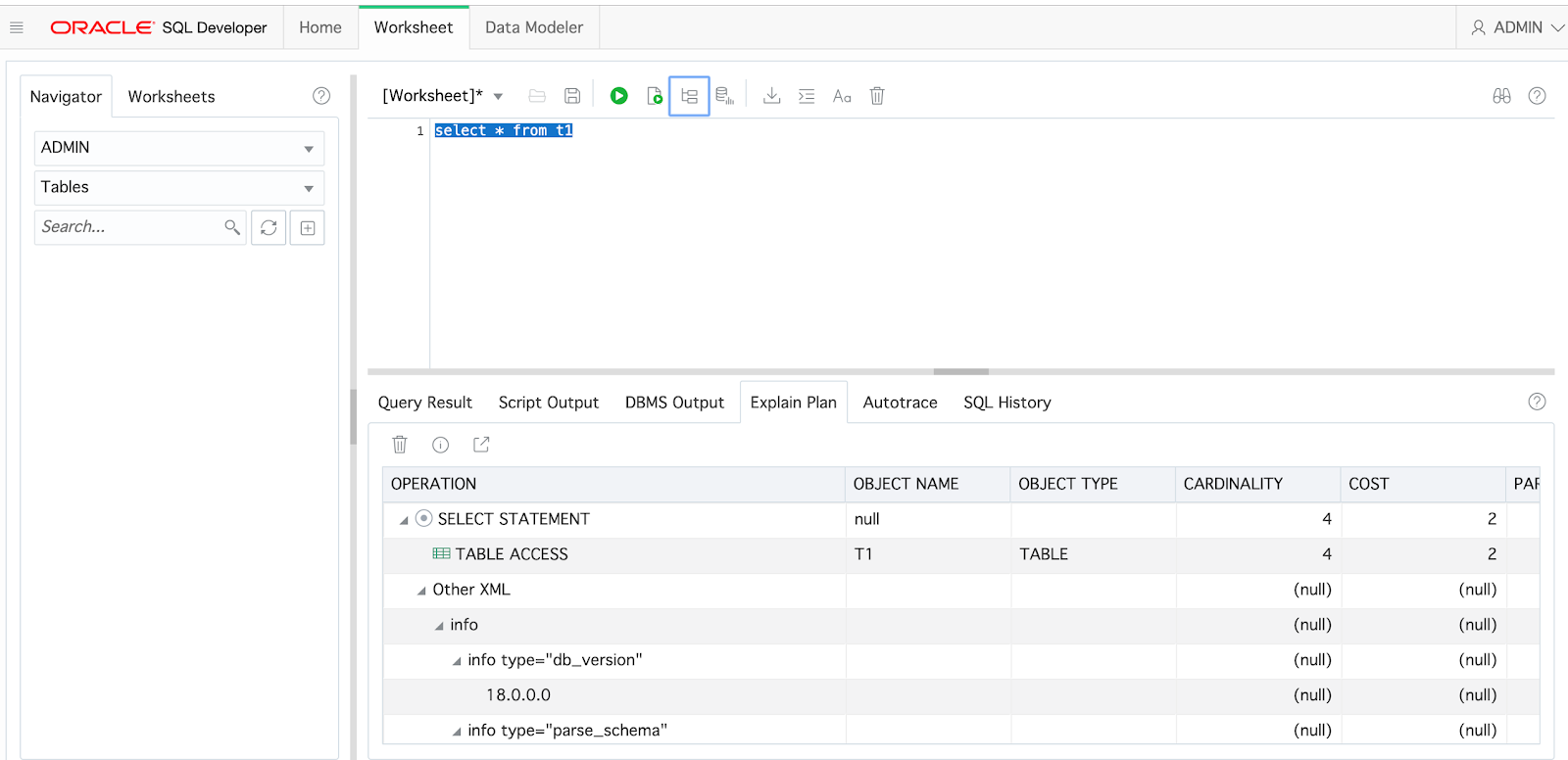
The Web-based SQL Developer is my personal highlight, you can test and run your queries now from everywhere, you just need a browser and an Internet Connection.

As well you get with your ATP Database Oracle APEX (Version 19.1.0.00.15), which can also be accessed from the Service Console, click on Development and than in the center screen Oracle APEX


This new Always Free Option from Oracle is definitely a game changer ...


Friday, May 3, 2019

Optimizing the Optimized Docker Image for Oracle XE 18c (18.4.0) including Archivelog

On 1st May 2019 I was publishing a solution on how to optimize the Docker image for Oracle XE 18c from 8.7 GB down to 5.41 GB (https://dirknachbar.blogspot.com/2019/05/optimized-docker-image-for-oracle-xe.html).

In the last 2 days I was playing a bit more with my optimized Docker image for Oracle XE 18c and I was able to downsize the Docker image once again to a current size of 4.02 GB. So its more than 50% of savings from the original Docker image size.

$ docker images
REPOSITORY           TAG                 IMAGE ID            CREATED             SIZE
oracle/database      18.4.0-xe           2018ad58d2f3        16 hours ago        4.02GB
$

I mainly removed unnecessary directories from the $ORACLE_HOME and several binaries, which are not required in my opinion and I strip some of the big binaries to remove the comments from them.

You can find the optimized optimized Docker Image for Oracle XE 18c (18.4) in my GitHub Repository https://github.com/DirkNachbar/Docker/tree/master/OracleXE

Here is the list of directories and binaries which I removed from the image in order to come down to 4.02 GB:

# Snippet from Dockerfile.xe
RUN cd $INSTALL_DIR && \
    yum -y install $INSTALL_FILE_1 && \
    rm -rf /var/cache/yum && \
    rm -f $INSTALL_FILE_1 && \
    rm -rf $ORACLE_HOME/demo && \
    rm -rf $ORACLE_HOME/dmu && \
    rm -rf $ORACLE_HOME/javavm && \
    rm -rf $ORACLE_HOME/md && \
    rm -rf $ORACLE_HOME/nls/demo && \
    rm -rf $ORACLE_HOME/odbc && \
    rm -rf $ORACLE_HOME/rdbms/demo && \
    rm -rf $ORACLE_HOME/R && \
    rm -rf $ORACLE_HOME/instantclient && \
    rm -rf $ORACLE_HOME/inventory && \
    rm -rf $ORACLE_HOME/deinstall && \
    rm -r  $ORACLE_HOME/lib/ra_aix_ppc64.zip && \
    rm -r  $ORACLE_HOME/lib/ra_hpux_ia64.zip && \
    rm -r  $ORACLE_HOME/lib/ra_solaris*.zip && \
    rm -f  $ORACLE_HOME/lib/ra_windows64.zip && \
    rm -f  $ORACLE_HOME/lib/ra_zlinux64.zip && \
    rm -rf $ORACLE_HOME/crs && \
    rm -f  $ORACLE_HOME/bin/asmcmd && \
    rm -f  $ORACLE_HOME/bin/asmcmdcore && \
    rm -f  $ORACLE_HOME/bin/bdschecksw && \
    rm -f  £ORACLE_HOME/bin/dbv && \
    rm -f  $ORACLE_HOME/bin/ldap* && \
    rm -f  $ORACLE_HOME/bin/dbfs_client && \
    rm -f  $ORACLE_HOME/bin/afdboot && \
    rm -f  $ORACLE_HOME/bin/exp && \
    rm -f  $ORACLE_HOME/bin/imp && \
    rm -f  $ORACLE_HOME/bin/*.exe && \
    rm -f  $ORACLE_HOME/bin/lcsscan && \
    rm -f  $ORACLE_HOME/bin/dgmgrl && \
    rm -f  $ORACLE_HOME/bin/nid && \
    rm -f  $ORACLE_HOME/bin/orion && \
    rm -f  $ORACLE_HOME/bin/procob && \
    rm -f  $ORACLE_HOME/bin/setasmgid && \
    rm -f  $ORACLE_HOME/bin/wrap && \
    rm -f  $ORACLE_HOME/bin/*0 && \
    rm -f  $ORACLE_HOME/bin/tnsping && \
    rm -f  $ORACLE_HOME/bin/tkprof && \
    rm -f  $ORACLE_HOME/bin/srvctl && \
    rm -f  $ORCALE_HOME/bin/wrc && \
    rm -rf $ORACLE_HOME/sdk && \
    strip --remove-section=.comment $ORACLE_HOME/bin/oracle && \
    strip --remove-section=.comment $ORACLE_HOME/bin/rman && \
    strip --remove-section=.comment $ORACLE_HOME/bin/tnslsnr

I will continue to try to downsize the Docker image for Oracle XE 18c a bit more within the next days and will post updates on these topic.


Wednesday, May 1, 2019

Optimized Docker Image for Oracle XE 18c (18.4.0) including Archivelog

In my current project I am mainly working with Oracle XE 18c (18.4.0) under Docker.

One pain point is size of the Docker Image for Oracle XE 18c, in case you will use the Scripts from https://github.com/oracle/docker-images/tree/master/OracleDatabase/SingleInstance for the build of Oracle XE 18c you will have an image size of 8.7 GB, which is not quite handy :-)

So I invested some time and have done some modifications on the Dockerfile.xe from the Oracle GitHub Repository, which is mainly to adopt multi stage and to remove some unnecessary directories from the $ORACLE_HOME, so that I finally come to an image size of 5.41 GB instead of 8.7 GB.

On top I have added some volumes to the Dockerfile.xe for fast recovery area and some tools (which are containing RMAN backup scripts) and a post setup script which will turn on the archivelog mode and flashback.

The full showcase you can find in my GitHub Repository https://github.com/DirkNachbar/Docker/tree/master/OracleXE

Just clone my above mentioned GitHub Repo, download the Oracle XE 18c rpm file from Oracle Technology Network https://www.oracle.com/technetwork/database/database-technologies/express-edition/downloads/index.html and place it in the subdirectory 18.4.0.

On top you will need to create 4 directories on your Docker host, which will be the target directories for the following volume mapping:

  • /opt/oracle/oradata
  • /opt/oracle/diag
  • /opt/oracle/fast_recovery_area
  • /opt/oracle/tools

$ groupadd -g 54321 oinstall
$ useradd -d /home/oracle -m -g oinstall [-G docker] -u 54321 oracle
# Depending on your disk layout you will need to create 4 directories
# e.g. you have one mount point called u01, create the following 4 directories below and switch the ownership to the oracle user
$ mkdir -p /u01/diag
$ mkdir -p /u01/oradata
$ mkdir -p /u01/fast_recovery_area
$ mkdir -p /u01/tools
$ chown -R oracle:oinstall /u01/diag
$ chown -R oracle:oinstall /u01/oradata
$ chown -R oracle:oinstall /u01/fast_recovery_area
$ chown -R oracle:oinstall /u01/tools

Now you can execute the build of your Docker Image for Oracle XE 18c

$ ./buildDockerImage.sh -v 18.4.0 -x
. . .
Successfully built ac71812fa9d3
Successfully tagged oracle/database:18.4.0-xe


  Oracle Database Docker Image for 'xe' version 18.4.0 is ready to be extended: 
    
    --> oracle/database:18.4.0-xe

  Build completed in 697 seconds.

$ docker images
REPOSITORY           TAG                 IMAGE ID            CREATED             SIZE
oracle/database      18.4.0-xe           ac71812fa9d3        About an hour ago   5.41GB

Finally create your Docker Container:

docker run -d --name oraxe18c \
              -p 1521:1521
              -e ORACLE_PWD=[your password] \
              -e ORACLE_CHARACTERSET=[your characterset] \
              -e TZ=[your timezone] \
              -v [host directory for oradata]:/opt/oracle/oradata \
              -v [host directory for diag]:/opt/oracle/diag \
              -v [host directory for fast_recovery_area]:/opt/oracle/fast_recovery_area \
              -v [host directory for tools]:/opt/oracle/tools \
              [--network [your bridged network] \
              oracle/database:18.4.0-xe

# For Example
docker run -d --name oraxe18c \
              -p 1521:1521
              -e ORACLE_PWD=Oracle18c \
              -e ORACLE_CHARACTERSET=AL32UTF8 \
              -e TZ=Europe/Zurich \
              -v /u01/oradata:/opt/oracle/oradata \
              -v /u01/diag:/opt/oracle/diag \
              -v /u01/fast_recovery_area:/opt/oracle/fast_recovery_area \
              -v /u01/tools:/opt/oracle/tools \
              --network mynet \
              oracle/database:18.4.0-xe

Now you have a running Oracle XE 18c Container, your oradata, diag, fast_recovery_area and tools directories are mounted on your Docker Host and you can perform standard backups with RMAN against your Oracle XE 18c.

vi /u01/tools/full_bkp.rman

connect target sys/[your password]
run {
    backup database plus archivelog;
}

# For Example
connect target sys/Oracle18c
run {
    backup database plus archivelog;
}

# Now perform your RMAN Backup
docker exec -it oraxe18c rman @/opt/oracle/tools/full_bkp.rman


Thursday, February 21, 2019

Oracle XE 18.4.0.0.0 (18c) for Windows

The Oracle Database Express Edition (XE) 18.4.0.0.0 (18c) is since yesterday available for Windows x64 on Oracle Technology Networks:


For the download of the latest Oracle XE 18c for Windows x64 checkout following link: https://www.oracle.com/technetwork/database/database-technologies/express-edition/downloads/index.html


Happy Download ...

Wednesday, October 31, 2018

Oracle 18c Certification for Fusion Middleware 12c Release 2

Since a few days the Certification Matrix for Oracle Fusion Middleware 12c Release 2 (12.2.1.x) was updated within Oracle Technology Network, now Oracle 18c (18.1 on Exadata and 18.3 on On-Premise) is certified and supported as Target Database for RCU (Repository Creation Utility and as Application Datasource.

Certification Matrix for Fusion Middleware 12.2.1.2.0: https://www.oracle.com/technetwork/middleware/fusion-middleware/documentation/fmw-122120-certmatrix-3254735.xlsx


Certification Matrix for Fusion Middleware 12.2.1.3.0: https://www.oracle.com/technetwork/middleware/fmw-122130-certmatrix-3867828.xlsx


In My Oracle Support under the Certification Tab, the new Certification for Oracle Database 18c (18.1 on Exadata and 18.3 on On-Premise) is not yet updated.

See for example the Certification for SOA Suite 12.2.1.2.0


See for example the Certification for SOA Suite 12.2.1.3.0


I have created a Support Request with My Oracle Support for that and according to My Oracle Support, the Certification Matrix on Oracle Technology Network is correct and therefore Oracle 18c (18.1 on Exadata and 18.3 on On-Premise) is fully supported and certified with Oracle Fusion Middleware 12c Release 2


Friday, October 19, 2018

Installation of Oracle 18c (18.3) RPM manually

Since last night the RPM version of Oracle 18c (18.3) is available, see my blog post http://dirknachbar.blogspot.com/2018/10/oracle-18c-rpm-for-linux-available.html

I was directly testing the manually way in installing the Oracle 18c (18.3) RPM version, not Unbreakable Linux Network (ULN).

As pre requirement you will need an up and running Linux Server, in my case an Oracle Enterprise Linux 7.4, and the Oracle 18c RPM and as well the Oracle 18c Preinstallation RPM.


Transfer the 2 above mentioned files to your target server as root user in any temporary directory, navigate in a shell to the temporary directory and execute as root following commands:

1. Install the Oracle 18c Preinstallation RPM

yum localinstall oracle-database-preinstall-18c-1.0-1.el7.x86_64.rpm 
Loaded plugins: langpacks, ulninfo
Examining oracle-database-preinstall-18c-1.0-1.el7.x86_64.rpm: oracle-database-preinstall-18c-1.0-1.el7.x86_64
Marking oracle-database-preinstall-18c-1.0-1.el7.x86_64.rpm to be installed
Resolving Dependencies
--> Running transaction check
---> Package oracle-database-preinstall-18c.x86_64 0:1.0-1.el7 will be installed
--> Processing Dependency: glibc-devel for package: oracle-database-preinstall-18c-1.0-1.el7.x86_64
--> Processing Dependency: ksh for package: oracle-database-preinstall-18c-1.0-1.el7.x86_64
--> Processing Dependency: libaio-devel for package: oracle-database-preinstall-18c-1.0-1.el7.x86_64
--> Processing Dependency: libstdc++-devel for package: oracle-database-preinstall-18c-1.0-1.el7.x86_64
--> Running transaction check
---> Package glibc-devel.x86_64 0:2.17-196.el7 will be installed
--> Processing Dependency: glibc-headers = 2.17-196.el7 for package: glibc-devel-2.17-196.el7.x86_64
--> Processing Dependency: glibc-headers for package: glibc-devel-2.17-196.el7.x86_64
---> Package ksh.x86_64 0:20120801-34.el7 will be installed
---> Package libaio-devel.x86_64 0:0.3.109-13.el7 will be installed
---> Package libstdc++-devel.x86_64 0:4.8.5-16.el7 will be installed
--> Running transaction check
---> Package glibc-headers.x86_64 0:2.17-196.el7 will be installed
--> Finished Dependency Resolution

Dependencies Resolved

====================================================================================================================================================================
 Package                                     Arch                Version                        Repository                                                     Size
====================================================================================================================================================================
Installing:
 oracle-database-preinstall-18c              x86_64              1.0-1.el7                      /oracle-database-preinstall-18c-1.0-1.el7.x86_64               55 k
Installing for dependencies:
 glibc-devel                                 x86_64              2.17-196.el7                   OL74                                                          1.1 M
 glibc-headers                               x86_64              2.17-196.el7                   OL74                                                          675 k
 ksh                                         x86_64              20120801-34.el7                OL74                                                          883 k
 libaio-devel                                x86_64              0.3.109-13.el7                 OL74                                                           12 k
 libstdc++-devel                             x86_64              4.8.5-16.el7                   OL74                                                          1.5 M

Transaction Summary
====================================================================================================================================================================
Install  1 Package (+5 Dependent packages)

Total size: 4.1 M
Total download size: 4.1 M
Installed size: 14 M
Is this ok [y/d/N]: y
Downloading packages:
warning: /var/OSimage/OL7.4_x86_64/Packages/glibc-devel-2.17-196.el7.x86_64.rpm: Header V3 RSA/SHA256 Signature, key ID ec551f03: NOKEY
Public key for glibc-devel-2.17-196.el7.x86_64.rpm is not installed
--------------------------------------------------------------------------------------------------------------------------------------------------------------------
Total                                                                                                                                52 MB/s | 4.1 MB  00:00:00     
Retrieving key from file:///etc/pki/rpm-gpg/RPM-GPG-KEY
Importing GPG key 0xEC551F03:
 Userid     : "Oracle OSS group (Open Source Software group) <build@oss.oracle.com>"
 Fingerprint: 4214 4123 fecf c55b 9086 313d 72f9 7b74 ec55 1f03
 Package    : 7:oraclelinux-release-7.4-1.0.4.el7.x86_64 (@anaconda/7.4)
 From       : /etc/pki/rpm-gpg/RPM-GPG-KEY
Is this ok [y/N]: y
Running transaction check
Running transaction test
Transaction test succeeded
Running transaction
  Installing : ksh-20120801-34.el7.x86_64                                                                                                                       1/6 
  Installing : glibc-headers-2.17-196.el7.x86_64                                                                                                                2/6 
  Installing : glibc-devel-2.17-196.el7.x86_64                                                                                                                  3/6 
  Installing : libaio-devel-0.3.109-13.el7.x86_64                                                                                                               4/6 
  Installing : libstdc++-devel-4.8.5-16.el7.x86_64                                                                                                              5/6 
  Installing : oracle-database-preinstall-18c-1.0-1.el7.x86_64                                                                                                  6/6 
  Verifying  : oracle-database-preinstall-18c-1.0-1.el7.x86_64                                                                                                  1/6 
  Verifying  : libstdc++-devel-4.8.5-16.el7.x86_64                                                                                                              2/6 
  Verifying  : libaio-devel-0.3.109-13.el7.x86_64                                                                                                               3/6 
  Verifying  : glibc-headers-2.17-196.el7.x86_64                                                                                                                4/6 
  Verifying  : glibc-devel-2.17-196.el7.x86_64                                                                                                                  5/6 
  Verifying  : ksh-20120801-34.el7.x86_64                                                                                                                       6/6 

Installed:
  oracle-database-preinstall-18c.x86_64 0:1.0-1.el7                                                                                                                 

Dependency Installed:
  glibc-devel.x86_64 0:2.17-196.el7          glibc-headers.x86_64 0:2.17-196.el7      ksh.x86_64 0:20120801-34.el7      libaio-devel.x86_64 0:0.3.109-13.el7     
  libstdc++-devel.x86_64 0:4.8.5-16.el7     

Complete!

2. Install the Oracle 18c (18.3) RPM

yum localinstall oracle-database-ee-18c-1.0-1.x86_64.rpm 
Loaded plugins: langpacks, ulninfo
Examining oracle-database-ee-18c-1.0-1.x86_64.rpm: oracle-database-ee-18c-1.0-1.x86_64
Marking oracle-database-ee-18c-1.0-1.x86_64.rpm to be installed
Resolving Dependencies
--> Running transaction check
---> Package oracle-database-ee-18c.x86_64 0:1.0-1 will be installed
--> Finished Dependency Resolution

Dependencies Resolved

====================================================================================================================================================================
 Package                                     Arch                        Version                    Repository                                                 Size
====================================================================================================================================================================
Installing:
 oracle-database-ee-18c                      x86_64                      1.0-1                      /oracle-database-ee-18c-1.0-1.x86_64                      7.8 G

Transaction Summary
====================================================================================================================================================================
Install  1 Package

Total size: 7.8 G
Installed size: 7.8 G
Is this ok [y/d/N]: y
Downloading packages:
Running transaction check
Running transaction test
Transaction test succeeded
Running transaction
  Installing : oracle-database-ee-18c-1.0-1.x86_64                                                                                                              1/1 
[INFO] Executing post installation scripts...
[INFO] Oracle home installed successfully and ready to be configured.
To configure a sample Oracle Database you can execute the following service configuration script as root: /etc/init.d/oracledb_ORCLCDB-18c configure
  Verifying  : oracle-database-ee-18c-1.0-1.x86_64                                                                                                              1/1 

Installed:
  oracle-database-ee-18c.x86_64 0:1.0-1                                                                                                                             

Complete!

As next we need to configure the Oracle 18c Database by executing the /etc/init.d/oracledb_ORCLDB-18c script as root user

In case you will receive following error message while executing the /etc/init.d/oracledb_ORCLDB-18c script, simply check your /etc/hosts file and add the IP, Fully Qualified Hostname and the Shortname of your server, re-execute the /etc/init.d/oracledb_ORCLCDB-18c script
/etc/init.d/oracledb_ORCLCDB-18c configure
Configuring Oracle Database ORCLCDB.
[FATAL] [DBT-06103] The port (1,521) is already in use.
   ACTION: Specify a free port.

/etc/init.d/oracledb_ORCLCDB-18c configure
Configuring Oracle Database ORCLCDB.
Prepare for db operation
8% complete
Copying database files
31% complete
Creating and starting Oracle instance
32% complete
36% complete
40% complete
43% complete
46% complete
Completing Database Creation
51% complete
54% complete
Creating Pluggable Databases
58% complete
77% complete
Executing Post Configuration Actions
100% complete
Database creation complete. For details check the logfiles at:
 /opt/oracle/cfgtoollogs/dbca/ORCLCDB.
Database Information:
Global Database Name:ORCLCDB
System Identifier(SID):ORCLCDB
Look at the log file "/opt/oracle/cfgtoollogs/dbca/ORCLCDB/ORCLCDB.log" for further details.

Database configuration completed successfully. The passwords were auto generated, you must change them by connecting to the database using 'sqlplus / as sysdba' as the oracle user.

And we are nearly done :-)

Switch in your shell to the oracle user:

su - oracle
cd /opt/oracle
export ORACLE_BASE=`pwd`
cd product/18c/dbhome_1
export ORACLE_HOME=`pwd`
export PATH=$ORACLE_HOME/bin:$PATH
export ORACLE_SID=ORCLCDB
sqlplus / as sysdba
SQL*Plus: Release 18.0.0.0.0 - Production on Fri Oct 19 13:54:58 2018
Version 18.3.0.0.0

Copyright (c) 1982, 2018, Oracle.  All rights reserved.


Connected to:
Oracle Database 18c Enterprise Edition Release 18.0.0.0.0 - Production
Version 18.3.0.0.0

SQL> col name format a30
SQL> select con_id, name, open_mode from v$pdbs;

    CON_ID NAME      OPEN_MODE
---------- ------------------------------ ----------
  2 PDB$SEED     READ ONLY
  3 ORCLPDB1     READ WRITE


You only need to change now the passwords of the Database Users, e.g. SYS, SYSTEM and so on.

It's really a quick and fast way to install and configure an Oracle 18c (18.3) release on your server, what I personally don't like, is the used OFA (Optimal/Oracle Flexible Architecture) layout provided within the RPM, everything goes under /opt ... :-(


Oracle 18c RPM for Linux available

Since last night, the RPM for Oracle Database 18c (18.3) for Linux x86-64 is available for download in Oracle Technology Network


The RPM can be downloaded under following link: https://www.oracle.com/technetwork/database/enterprise-edition/downloads/oracle18c-linux-180000-5022980.html

The corresponding documentation can be found under: https://docs.oracle.com/en/database/oracle/oracle-database/18/ladbi/automatically-configuring-oracle-linux-with-oracle-preinstallation-rpm.html#GUID-22846194-58EF-4552-AAC3-6F6D0A1DF794


Wednesday, March 14, 2018

Oracle 18c - SQLPlus cute Features

As I got my fingers on the latest Oracle 18c Release, I had the chance to test some cute new features within SQLPlus, which are really helpful.

SET LINESIZE WINDOW:

The new option WINDOW for SET LINESIZE automatically adjust your linesize to your current window size.

As you can see in the below screenshot, the first select was executed without the linesize option, so you will have the usual line break in your result set. Afterwards I execute "SET LINESIZE WINDOW", re-executed the select statement and you can see that the linesize is automatically adjusted to my current window size.


SET FEEDBACK ON SQL_ID:

This new option SQL_ID for SET FEEDBACK ON is my personal favorite. This option will provide you on the end of your executed SQL Statement the SQL_ID.

sqlplus test_new/Oracle18c@pdb01
SQL> set feedback on sql_id
SQL> select * from cat;

TABLE_NAME                     TABLE_TYPE
------------------------------ -----------
T1                             TABLE
V1                             VIEW

2 rows selected.

SQL_ID: adcm6b60qf64q

Enjoy the new 18c Features :-)

Friday, March 9, 2018

Oracle 18c - ALTER USER RENAME

2 years ago, I have published an article series about the undocumented feature "ALTER USER RENAME":

As I was getting access to an Oracle 18c Database, I was trying directly, if the ALTER USER RENAME still works => IT'S STILL WORKING :-)

Let's create a test user with one table and one view.
sqlplus sys/<password>@pdb01 as sysdba

SQL> select banner from v$version;

BANNER
--------------------------------------------------------------------------------
Oracle Database 18c Enterprise Edition Release 18.0.0.0.0 - Production

SQL> create user test identified by "Oracle18c" default tablespace users quota unlimited on users;

User created.

SQL> grant connect, resource, create table, create view to test;

Grant succeeded.

SQL> connect test/Oracle18c@pdb01

SQL> create table t1 (id number, col1 varchar2(20));

Table created.

SQL> insert into t1 values (1,'Test 1');

1 row created.
    
SQL> insert into t1 values (2, 'Test 2');

1 row created.

SQL> commit;

Commit complete.

SQL&gt create view v1 as select * from t1;


Now let's rename the above created user TEST to TEST_NEW
sqlplus sys/<password>@pdb01 as sysdba

SQL> alter session set "_enable_rename_user"=true;

Session altered.

SQL> alter system enable restricted session;

System altered.

SQL> alter user test rename to test_new identified by "Oracle18c";

User altered.

SQL> alter system disable restricted session;

System altered.

Now let's try to connect with the renamed user TEST_NEW
sqlplus test_new/Oracle18c@pdb01 as sysdba

SQL> select * from t1;

 ID COL1
---------- --------------------
  1 Test 1
  2 Test 2

SQL> select * from v1;

 ID COL1
---------- --------------------
  1 Test 1
  2 Test 2
So even with Oracle18c the undocumented feature ALTER USER RENAME is still working :-)