This Blog is discontinued, its only read-only

Showing posts with label Docker. Show all posts

Thursday, June 27, 2019

Offline Updating WebLogic Images using Oracle WebLogic Image Tool

This is next article about the Oracle WebLogic Image Tool https://github.com/oracle/weblogic-image-tool, in which I will show you, how to update an existing Oracle WebLogic Server Image in an offline environment (no access to the internet).

The previous articles can be found under:

Let's say you have a Docker image with Oracle WebLogic Server 12.2.1.3.0 plus PSU April 2019 (12.2.1.3.190416), in my environment called oracle/wls_new:1.0, and you want to update your Docker Image with the patch 29921455 (CVE-2019-2729 https://www.oracle.com/technetwork/security-advisory/alert-cve-2019-2729-5570780.html).

Just download the Patch 29921455 for the release 12.2.1.3.190416 and copy the Zip File to your target server, assuming to /work/software. The only tricky part here is to provide the correct format for the parameter --patchID for the command cache addPatch of the imagetool. The Patch is 29921455, but this Patch ID exists for multiple Oracle WebLogic Releases (e.g. 12.2.1.3.190416, 12.2.1.3.190115). So you need to define your --patchID as <PatchNumber>_<WebLogicRelease>.
So for the shown example 29921455_12.2.1.3.190419.

#
$ docker images | grep oracle/wls_new
oracle/wls_new         1.0                        dad1b3068c40        2 hours ago         1.22GB


$ cd <Path to your imagetool bin directory>

# Source the setup.sh
$ . ./setup.sh

# Add the Patch to the imagetool cache
$ imagetool cache addPatch --patchId=29921455_12.2.1.3.190416 --path=/work/software/p29921455_12213190416_Generic.zip
[2019-06-27 13:02:28] [com.oracle.weblogic.imagetool.cli.cache.AddPatchEntry] [INFO   ] adding key 29921455_12.2.1.3.190416 
[2019-06-27 13:02:28] [com.oracle.weblogic.imagetool.cli.cache.AddPatchEntry] [INFO   ] adding key 29921455_12.2.1.3.190416 
[2019-06-27 13:02:28] [com.oracle.weblogic.imagetool.cli.cache.AddPatchEntry] [INFO   ] Added Patch entry 29921455_12.2.1.3.190416=/work/software/p29921455_12213190416_Generic.zip for wls

# Check if the Patch was correctly added to the imagetool cache
$ imagetool cache listItems
Cache contents
cache.dir=/home/din/cache
jdk_8u202=/work/software/server-jre-8u202-linux-x64.tar.gz
29016089_12.2.1.3.0=/home/din/cache/p29016089_122130_Generic.zip
wls_12.2.1.3.0=/work/software/fmw_12.2.1.3.0_wls_Disk1_1of1.zip
28186730_opatch=/home/din/cache/p28186730_139400_Generic.zip
29921455_12.2.1.3.190416=/work/software/p29921455_12213190416_Generic.zip


As you can see, the patch 29921455 was added to the imagetool cache as entry id "29921455_12.2.1.3.190416".

Now we can update the existing Docker image. In my environment the Docker image is called oracle/wls_new:1.0. My new target image should be oracle/wls_new:2.0 and should contain the patch 29921455.
For this you need to execute the imagetool with the command "update", declare the source image (--fromImage) and the target image (--tag) and reference the patch to be applied (--patches). For the option "--patches" you have to use the cache entry with which you added the patch to the imagetool cache. In my example "29921455_12.2.1.3.190416".

#
$ imagetool update --fromImage oracle/wls_new:1.0 --tag oracle/wls_new:2.0 --patches 29921455_12.2.1.3.190416
[2019-06-27 13:17:25] [com.oracle.weblogic.imagetool.cli.menu.UpdateImage] [INFO   ] tmp directory in for docker run: /home/din/wlsimgbuilder_temp1812783530686130006 
[2019-06-27 13:17:32] [com.oracle.weblogic.imagetool.cli.menu.UpdateImage] [INFO   ] OPatch patch number 28186730 cached file /home/din/cache/p28186730_139400_Generic.zip version 13.9.4.2.0 
[2019-06-27 13:17:32] [com.oracle.weblogic.imagetool.cli.menu.UpdateImage] [INFO   ] ID="ol" 
[2019-06-27 13:17:32] [com.oracle.weblogic.imagetool.cli.menu.UpdateImage] [INFO   ] OPATCH_VERSION=13.9.4.2.0 
[2019-06-27 13:17:32] [com.oracle.weblogic.imagetool.cli.menu.UpdateImage] [INFO   ] WLS_VERSION=12.2.1.3.0 
[2019-06-27 13:17:32] [com.oracle.weblogic.imagetool.cli.menu.UpdateImage] [INFO   ] ORACLE_HOME=/u01/oracle 
[2019-06-27 13:17:32] [com.oracle.weblogic.imagetool.cli.menu.UpdateImage] [INFO   ] VERSION_ID="7.6" 
. . .
. . .
Backup area for restore has been cleaned up. For a complete list of files/directories
deleted, Please refer log file.

OPatch succeeded.
Removing intermediate container c7487cd7ea8b
 ---> 6669bd543ace
Successfully built 6669bd543ace
Successfully tagged oracle/wls_new:2.0

# Lets check
$ docker images | grep oracle/wls_new
oracle/wls_new         2.0                        6669bd543ace        15 minutes ago      1.35GB
oracle/wls_new         1.0                        dad1b3068c40        2 hours ago         1.22GB

# Get inside the new Docker Image and check if the patch was applied correctly
$ docker run --rm -it oracle/wls_new:2.0 /bin/bash
[oracle@0eae36070e05 oracle]$ cd OPatch
[oracle@0eae36070e05 OPatch]$ ./opatch lsinventory
. . .
. . .
Local Machine Information::
Hostname: 0eae36070e05
ARU platform id: 226
ARU platform description:: Linux x86-64


Interim patches (6) :

Patch  29921455     : applied on Thu Jun 27 11:17:56 GMT 2019
Unique Patch ID:  22975494
Patch description:  "One-off"
   Created on 18 Jun 2019, 13:22:28 hrs PST8PDT
   Bugs fixed:
     29921455
   This patch overlays patches:
     29016089
   This patch needs patches:
     29016089
   as prerequisites
. . .
. . .
OPatch succeeded.
[oracle@0eae36070e05 OPatch]$ exit


Now we have a new Docker image which was build as oracle/wls_new:2.0 and it contains the patch 29921455.


Monday, June 24, 2019

Updating WebLogic Images using Oracle WebLogic Image Tool

On 21st June 2019 I was showing in a blog post the Oracle WebLogic Image Tool and how to create Oracle WebLogic Images on Docker with the Oracle WebLogic Image Tool https://dirknachbar.blogspot.com/2019/06/oracle-weblogic-image-tool.html


Today, I will show how to update an existing Oracle WebLogic Image on Docker with the Oracle WebLogic Image Tool https://github.com/oracle/weblogic-image-tool

Let's assume, I have one Oracle WebLogic 12.2.1.3.0 Docker Image named oracle/wls_serverjre:1.0 and I want to apply the Patch 29637821 and tag the Image as oracle/wls_serverjre:2.0

#
$ docker images | grep oracle/wls_serverjre
oracle/wls_serverjre   1.0                        ca40e90b620f        3 hours ago         1.22GB

# Lets get into the oracle/wls_serverjre:1.0 Image
# and check which Patches are already applied

$ docker run --rm -it oracle/wls_serverjre:1.0 /bin/bash

[oracle@c629e274ef67 oracle]$ cd OPatch/
[oracle@c629e274ef67 OPatch]$ ./opatch lsinventory
Oracle Interim Patch Installer version 13.9.4.2.0
Copyright (c) 2019, Oracle Corporation.  All rights reserved.


Oracle Home       : /u01/oracle
Central Inventory : /u01/oracle/oraInventory
   from           : /u01/oracle/oraInst.loc
OPatch version    : 13.9.4.2.0
OUI version       : 13.9.4.0.0
Log file location : /u01/oracle/cfgtoollogs/opatch/opatch2019-06-24_10-28-39AM_1.log


OPatch detects the Middleware Home as "/u01/oracle"

Lsinventory Output file location : /u01/oracle/cfgtoollogs/opatch/lsinv/lsinventory2019-06-24_10-28-39AM.txt

--------------------------------------------------------------------------------
Local Machine Information::
Hostname: c629e274ef67
ARU platform id: 226
ARU platform description:: Linux x86-64


Interim patches (5) :

Patch  29016089     : applied on Mon Jun 24 08:02:18 GMT 2019
Unique Patch ID:  22640288
Patch description:  "WLS PATCH SET UPDATE 12.2.1.3.190416"
   Created on 31 Jan 2019, 00:50:49 hrs PST8PDT
   Bugs fixed:
     23076695, 23103220, 25387569, 25488428, 25580220, 25665727, 25750303
     25800186, 25987400, 25993295, 26026959, 26080417, 26098043, 26144830
     26145911, 26248394, 26267487, 26268190, 26353793, 26439373, 26473149
     26499391, 26502060, 26547016, 26589850, 26608537, 26624375, 26626528
     26731253, 26791760, 26806438, 26828499, 26835012, 26929163, 26936500
     26943614, 26985581, 27033250, 27055227, 27086845, 27111664, 27117282
     27118731, 27131483, 27187631, 27213775, 27234961, 27272911, 27284496
     27397287, 27411153, 27417245, 27445260, 27469756, 27486993, 27516977
     27561226, 27603087, 27617877, 27693510, 27803728, 27819370, 27912485
     27927071, 27928833, 27934864, 27947832, 27948303, 27988175, 28071913
     28103938, 28110087, 28138954, 28140800, 28142116, 28149607, 28166483
     28171852, 28172380, 28311332, 28313163, 28319690, 28360225, 28375173
     28375702, 28409586, 28503638, 28550962, 28559579, 28594324, 28626991
     28632521, 28651365, 28748179, 28774974, 28874066, 28891448, 28895280
     28958819, 28984617, 29140508, 29140516, 29140540, 29140549, 29140551
     29140555

Patch  26355633     : applied on Mon Jun 24 08:00:52 GMT 2019
Unique Patch ID:  21447583
Patch description:  "One-off"
   Created on 1 Aug 2017, 21:40:20 hrs UTC
   Bugs fixed:
     26355633

Patch  26287183     : applied on Mon Jun 24 08:00:43 GMT 2019
Unique Patch ID:  21447582
Patch description:  "One-off"
   Created on 1 Aug 2017, 21:41:27 hrs UTC
   Bugs fixed:
     26287183

Patch  26261906     : applied on Mon Jun 24 08:00:29 GMT 2019
Unique Patch ID:  21344506
Patch description:  "One-off"
   Created on 12 Jun 2017, 23:36:08 hrs UTC
   Bugs fixed:
     25559137, 25232931, 24811916

Patch  26051289     : applied on Mon Jun 24 08:00:25 GMT 2019
Unique Patch ID:  21455037
Patch description:  "One-off"
   Created on 31 Jul 2017, 22:11:57 hrs UTC
   Bugs fixed:
     26051289


--------------------------------------------------------------------------------

OPatch succeeded.
[oracle@c629e274ef67 OPatch]$ exit

As you can see from the above displayed opatch lsinventory, on the oracle/wls_serverjre:1.0 are just the 4 Patches which are applied during the base software installation and the latest PSU 29016089 from April 2019.

Now let's start to update the Docker Image oracle/wls_serverjre:1.0 and apply the Patch 29637821

#
$ imagetool update \
          --fromImage oracle/wls_serverjre:1.0 \
          --tag oracle/wls_serverjre:2.0 \
          --user <Your MyOracleSupport UserAccount> \
          --password=<Your MyOracleSupport Password> \
          --patches p29637821
[2019-06-24 12:31:42] [com.oracle.weblogic.imagetool.cli.menu.UpdateImage] [INFO   ] tmp directory in for docker run: /home/din/wlsimgbuilder_temp3197293039367443425 
[2019-06-24 12:31:50] [com.oracle.weblogic.imagetool.cli.menu.UpdateImage] [INFO   ] ID="ol" 
[2019-06-24 12:31:50] [com.oracle.weblogic.imagetool.cli.menu.UpdateImage] [INFO   ] OPATCH_VERSION=13.9.4.2.0 
[2019-06-24 12:31:50] [com.oracle.weblogic.imagetool.cli.menu.UpdateImage] [INFO   ] WLS_VERSION=12.2.1.3.0 
[2019-06-24 12:31:50] [com.oracle.weblogic.imagetool.cli.menu.UpdateImage] [INFO   ] ORACLE_HOME=/u01/oracle 
[2019-06-24 12:31:50] [com.oracle.weblogic.imagetool.cli.menu.UpdateImage] [INFO   ] VERSION_ID="7.6" 
[2019-06-24 12:31:50] [com.oracle.weblogic.imagetool.cli.menu.UpdateImage] [INFO   ] opatch-lsinventory file exists at: /home/din/wlsimgbuilder_temp3197293039367443425/opatch-lsinventory.txt 
[Fatal Error] :11:11: Open quote is expected for attribute "rel" associated with an  element type  "link".
[2019-06-24 12:32:23] [com.oracle.weblogic.imagetool.cli.CLIDriver] [SEVERE ] Response code: -1, message: Malformed XML document 

First trial => FAILED ! Unfortunately the documentation is is a bit confusing on this section, it just states that sometimes you have to use p[nnnnnnnn] and sometimes just the PatchNumber without the starting "p".  So in case you receive above shown error, just try it without the leading "p" and use just the plain PatchNumber.

#
$ imagetool update \
          --fromImage oracle/wls_serverjre:1.0 \
          --tag oracle/wls_serverjre:2.0 \
          --user <Your MyOracleSupport UserAccount> \
          --password=<Your MyOracleSupport Password> \
          --patches 29637821

[2019-06-24 12:34:38] [com.oracle.weblogic.imagetool.cli.menu.UpdateImage] [INFO   ] tmp directory in for docker run: /home/din/wlsimgbuilder_temp402222832861943526 
[2019-06-24 12:34:46] [com.oracle.weblogic.imagetool.cli.menu.UpdateImage] [INFO   ] ID="ol" 
[2019-06-24 12:34:46] [com.oracle.weblogic.imagetool.cli.menu.UpdateImage] [INFO   ] OPATCH_VERSION=13.9.4.2.0 
[2019-06-24 12:34:46] [com.oracle.weblogic.imagetool.cli.menu.UpdateImage] [INFO   ] WLS_VERSION=12.2.1.3.0 
[2019-06-24 12:34:46] [com.oracle.weblogic.imagetool.cli.menu.UpdateImage] [INFO   ] ORACLE_HOME=/u01/oracle 
[2019-06-24 12:34:46] [com.oracle.weblogic.imagetool.cli.menu.UpdateImage] [INFO   ] VERSION_ID="7.6" 
[2019-06-24 12:34:46] [com.oracle.weblogic.imagetool.cli.menu.UpdateImage] [INFO   ] opatch-lsinventory file exists at: /home/din/wlsimgbuilder_temp402222832861943526/opatch-lsinventory.txt 
[2019-06-24 12:35:17] [com.oracle.weblogic.imagetool.cli.menu.UpdateImage] [INFO   ] patch conflict check successful 
[2019-06-24 12:35:26] [com.oracle.weblogic.imagetool.cli.menu.UpdateImage] [INFO   ] docker cmd = docker build --force-rm=true --no-cache --tag oracle/wls_serverjre:2.0 --build-arg BASE_IMAGE=oracle/wls_serverjre:1.0 --build-arg PATCHDIR=patches /home/din/wlsimgbuilder_temp6168038296324443485 
Sending build context to Docker daemon  22.53kB
. . . 
. . .
Backup area for restore has been cleaned up. For a complete list of files/directories
deleted, Please refer log file.

OPatch succeeded.
Removing intermediate container d47fbeb76474
 ---> 1556d1cd3aa7
Successfully built 1556d1cd3aa7
Successfully tagged oracle/wls_serverjre:2.0

Now, we can check if the new Docker Image was build correctly and if the Patch 29637821 was correctly applied on the new Image.

#
$ docker images | grep oracle/wls_serverjre
oracle/wls_serverjre   2.0                        1556d1cd3aa7        2 minutes ago      1.22GB
oracle/wls_serverjre   1.0                        ca40e90b620f        3 hours ago         1.22GB

$ docker run --rm -it oracle/wls_serverjre:2.0 /bin/bash

[oracle@7170ca6878ab oracle]$ cd OPatch/
[oracle@7170ca6878ab OPatch]$ ./opatch lsinventory
Oracle Interim Patch Installer version 13.9.4.2.0
Copyright (c) 2019, Oracle Corporation.  All rights reserved.


Oracle Home       : /u01/oracle
Central Inventory : /u01/oracle/oraInventory
   from           : /u01/oracle/oraInst.loc
OPatch version    : 13.9.4.2.0
OUI version       : 13.9.4.0.0
Log file location : /u01/oracle/cfgtoollogs/opatch/opatch2019-06-24_10-36-41AM_1.log


OPatch detects the Middleware Home as "/u01/oracle"

Lsinventory Output file location : /u01/oracle/cfgtoollogs/opatch/lsinv/lsinventory2019-06-24_10-36-41AM.txt

--------------------------------------------------------------------------------
Local Machine Information::
Hostname: 7170ca6878ab
ARU platform id: 226
ARU platform description:: Linux x86-64


Interim patches (6) :

Patch  29637821     : applied on Mon Jun 24 10:35:39 GMT 2019
Unique Patch ID:  22888395
Patch description:  "One-off"
   Created on 24 Apr 2019, 22:39:34 hrs PST8PDT
   Bugs fixed:
     29637821

Patch  29016089     : applied on Mon Jun 24 08:02:18 GMT 2019
Unique Patch ID:  22640288
Patch description:  "WLS PATCH SET UPDATE 12.2.1.3.190416"
   Created on 31 Jan 2019, 00:50:49 hrs PST8PDT
   Bugs fixed:
     23076695, 23103220, 25387569, 25488428, 25580220, 25665727, 25750303
     25800186, 25987400, 25993295, 26026959, 26080417, 26098043, 26144830
     26145911, 26248394, 26267487, 26268190, 26353793, 26439373, 26473149
     26499391, 26502060, 26547016, 26589850, 26608537, 26624375, 26626528
     26731253, 26791760, 26806438, 26828499, 26835012, 26929163, 26936500
     26943614, 26985581, 27033250, 27055227, 27086845, 27111664, 27117282
     27118731, 27131483, 27187631, 27213775, 27234961, 27272911, 27284496
     27397287, 27411153, 27417245, 27445260, 27469756, 27486993, 27516977
     27561226, 27603087, 27617877, 27693510, 27803728, 27819370, 27912485
     27927071, 27928833, 27934864, 27947832, 27948303, 27988175, 28071913
     28103938, 28110087, 28138954, 28140800, 28142116, 28149607, 28166483
     28171852, 28172380, 28311332, 28313163, 28319690, 28360225, 28375173
     28375702, 28409586, 28503638, 28550962, 28559579, 28594324, 28626991
     28632521, 28651365, 28748179, 28774974, 28874066, 28891448, 28895280
     28958819, 28984617, 29140508, 29140516, 29140540, 29140549, 29140551
     29140555

Patch  26355633     : applied on Mon Jun 24 08:00:52 GMT 2019
Unique Patch ID:  21447583
Patch description:  "One-off"
   Created on 1 Aug 2017, 21:40:20 hrs UTC
   Bugs fixed:
     26355633

Patch  26287183     : applied on Mon Jun 24 08:00:43 GMT 2019
Unique Patch ID:  21447582
Patch description:  "One-off"
   Created on 1 Aug 2017, 21:41:27 hrs UTC
   Bugs fixed:
     26287183

Patch  26261906     : applied on Mon Jun 24 08:00:29 GMT 2019
Unique Patch ID:  21344506
Patch description:  "One-off"
   Created on 12 Jun 2017, 23:36:08 hrs UTC
   Bugs fixed:
     25559137, 25232931, 24811916

Patch  26051289     : applied on Mon Jun 24 08:00:25 GMT 2019
Unique Patch ID:  21455037
Patch description:  "One-off"
   Created on 31 Jul 2017, 22:11:57 hrs UTC
   Bugs fixed:
     26051289


--------------------------------------------------------------------------------

OPatch succeeded.

You can see, that the new WebLogic Server Image oracle/wls_serverjre:2.0 was correctly build and the Patch 29637821 was applied correctly to the new Image. The only minor problem is the handling of the Patch Number with the Oracle WebLogic Image Tool, if Oracle can with a unique approach how to pass the Patches (either with leading "p" or without), the tool becomes really useful.


Friday, June 21, 2019

Oracle WebLogic Image Tool

As I am currently working mainly with Oracle Products on Docker (Oracle Databases, Oracle JDK's and Oracle WebLogic Servers) I had a quick look on the Oracle WebLogic Image Tool https://github.com/oracle/weblogic-image-tool

This utility provided by Oracle is creating for you Docker Images of Oracle WebLogic Servers, downloads Patches directly from My Oracle Support and applying these patches into your Docker Image.

What you will need to do, at first get the Oracle WebLogic Image Tool from GitHub, and build the project with Maven, take note that you need to create upfront the build a cache directory under $HOME !

#
# Clone the Oracle WebLogic Image Tool from GitHub
$ git clone https://github.com/oracle/weblogic-image-tool.git
Cloning into 'weblogic-image-tool'...
remote: Enumerating objects: 303, done.
remote: Counting objects: 100% (303/303), done.
remote: Compressing objects: 100% (169/169), done.
remote: Total 2339 (delta 117), reused 243 (delta 81), pack-reused 2036
Receiving objects: 100% (2339/2339), 410.24 KiB | 1.24 MiB/s, done.
Resolving deltas: 100% (985/985), done.

# Create the required cache directory under $HOME
$ mkdir $HOME/cache

# Build the project with Maven
$ mvn clean package
. . .
. . .
[INFO] 
[INFO] --- maven-jar-plugin:3.1.1:jar (default-jar) @ imagetool ---
[INFO] Building jar: /work/projects/weblogic-image-tool/imagetool/target/imagetool.jar
[INFO] 
[INFO] --- exec-maven-plugin:1.6.0:exec (generate-autocompletion-script) @ imagetool ---
[INFO] 
[INFO] --- maven-assembly-plugin:2.2-beta-5:single (build-zip-installer) @ imagetool ---
[INFO] Reading assembly descriptor: src/assembly/zip.xml
[INFO] Building zip: /work/projects/weblogic-image-tool/imagetool/target/imagetool-1.0.1-SNAPSHOT.zip
[INFO] ------------------------------------------------------------------------
[INFO] Reactor Summary:
[INFO] 
[INFO] Build Tools 1.0 .................................... SUCCESS [  0.789 s]
[INFO] WebLogic Image Tool (parent) 1.0.1-SNAPSHOT ........ SUCCESS [  0.001 s]
[INFO] WebLogic Image Tool 1.0.1-SNAPSHOT ................. SUCCESS [  4.835 s]
[INFO] ------------------------------------------------------------------------
[INFO] BUILD SUCCESS
[INFO] ------------------------------------------------------------------------
[INFO] Total time:  5.742 s
[INFO] Finished at: 2019-06-21T09:17:03+02:00
[INFO] ------------------------------------------------------------------------

# Copy and extract the packaged Oracle WebLogic Image Tool to your target destination
$ mkdir -p /work/tools
$ cp imagetool/target/imagetool-1.0.1-SNAPSHOT.zip /work/tools
$ cd /work/tools
$ unzip imagetool-1.0.1-SNAPSHOT.zip
$ cd imagetool-1.0.1-SNAPSHOT
$ tree
.
├── bin
│   ├── logging.properties
│   └── setup.sh
└── lib
    ├── commons-codec-1.10.jar
    ├── commons-logging-1.2.jar
    ├── fluent-hc-4.5.6.jar
    ├── httpclient-4.5.6.jar
    ├── httpcore-4.4.10.jar
    ├── httpmime-4.5.6.jar
    ├── imagetool_completion.sh
    ├── imagetool.jar
    ├── json-20180813.jar
    └── picocli-3.8.0.jar

2 directories, 12 files

As next modify the imagetool-1.0.1-SNAPSHOT/bin/setup.sh script and add your JAVA_HOME

#
# Align the bin/setup.sh with the required JAVA_HOME, must be a JDK 1.8
# Add just below the line "umask 27" a line with your JAVA_HOME
$ vi bin/setup.sh

. . .
umask 27

export JAVA_HOME=/usr/lib/jvm/jdk1.8.0_211
. . .

Now we can add the required Oracle JDK 1.8 software and the Oracle WebLogic Server installation software to the imagetool cache. The Oracle JDK 1.8 and Oracle WebLogic Server installation software you will need to download upfront and transfer them to your target server.

#
# Assuming that you have downloaded and transferred already the installation software
# to your target server, e.g. /work/software
$ ls /work/software/
fmw_12.2.1.3.0_wls_Disk1_1of1.zip  jdk-8u211-linux-x64.tar.gz

# Source the setup.sh script
$ cd /work/tools/imagetool-1.0.1-SNAPSHOT/bin
$ . ./setup.sh

# Adding Oracle JDK 1.8.0_211 to the Oracle WebLogic Image Tool cache
$ imagetool cache addInstaller --type jdk --version 8u211 --path /work/software/jdk-8u211-linux-x64.tar.gz

# Adding Oracle WebLogic Server 12.2.1.3.0 to the Oracle WebLogic Image Tool cache
$ imagetool cache addInstaller --type wls --version 12.2.1.3.0 --path /work/software/fmw_12.2.1.3.0_wls_Disk1_1of1.zip

# Check the content of the imagetool cache
$ imagetool cache listItems

Cache contents
cache.dir=/home/din/cache
jdk_8u211=/work/software/jdk-8u211-linux-x64.tar.gz
wls_12.2.1.3.0=/work/software/fmw_12.2.1.3.0_wls_Disk1_1of1.zip

Now as we have added the required installation software to the imagetool cache we can start to create our image.

Just create under imagetool-1.0.1-SNAPSHOT/bin a new Shell script called create-wls-image.sh with following content and align the JAVA_HOME variable to your environment and the path to the imagetool lib directory. On top set the --tag to your desired Image Name

#!/bin/sh

export JAVA_HOME=/usr/lib/jvm/jdk1.8.0_211
export PATH=$JAVA_HOME/bin:$PATH
alias imagetool='java -cp "/work/tools/imagetool-1.0.1-SNAPSHOT/lib/*" com.oracle.weblogic.imagetool.cli.CLIDriver'
imagetool create \
          --tag=oracle/wls:1.0 \
          --fromImage=oraclelinux:7-slim \
          --jdkVersion=8u211 \
          --latestPSU \
          --version=12.2.1.3.0 \
          --type=wls \
          --user=<Your MyOracleSupport UserAccount> \
          --password=<Your MyOracleSupport Password>

# Cleanup dangling images
echo " ***********************************"
echo " Cleanup dangling images"
echo " ***********************************"
docker rmi $(docker images --filter "dangling=true" -q --no-trunc)

Now we can start to create our Docker Image

#
$ chmod +x create-wls-image.sh

$ ./create-wls-image.sh

Jun 21, 2019 9:51:34 AM com.oracle.weblogic.imagetool.cli.menu.CreateImage call
INFO: tmp directory used for build context: /home/din/wlsimgbuilder_temp770248339375336616
Jun 21, 2019 9:51:35 AM com.oracle.weblogic.imagetool.cli.menu.CreateImage call
INFO: tmp directory for docker run: /home/din/wlsimgbuilder_temp8049214846342972141
Jun 21, 2019 9:51:36 AM com.oracle.weblogic.imagetool.cli.menu.CreateImage lambda$call$0
INFO: ID="ol"
Jun 21, 2019 9:51:36 AM com.oracle.weblogic.imagetool.cli.menu.CreateImage lambda$call$0
INFO: VERSION_ID="7.6"
Jun 21, 2019 9:52:48 AM com.oracle.weblogic.imagetool.cli.menu.CreateImage call
INFO: docker cmd = docker build --force-rm=true --no-cache --tag oracle/wls:1.0 --build-arg WLS_PKG=fmw_12.2.1.3.0_wls_Disk1_1of1.zip --build-arg JAVA_PKG=jdk-8u211-linux-x64.tar.gz --build-arg BASE_IMAGE=oraclelinux:7-slim --build-arg PATCHDIR=patches /home/din/wlsimgbuilder_temp770248339375336616
Sending build context to Docker daemon  1.108GB
. . .
. . .
Removing intermediate container f37f08f14b51
 ---> 067e69f6d893
Successfully built 067e69f6d893
Successfully tagged oracle/wls:1.0
 ***********************************
 Cleanup dangling images
 ***********************************
. . .
. . .
Deleted: sha256:64ad73b32a2b8912c122fede17be996843f570999e74faec5a6bacafa4932714

Lets check.

#
$ docker images | grep oracle/wls

oracle/wls           1.0                        067e69f6d893        3 minutes ago       1.48GB

# Lets check the cache content of the Oracle WebLogic Image Tool
$ imagetool cache listItems
Cache contents
cache.dir=/home/din/cache
jdk_8u211=/work/software/jdk-8u211-linux-x64.tar.gz
null_12.2.1.3.0=/home/din/cache/p29016089_122130_Generic.zip
wls_12.2.1.3.0=/work/software/fmw_12.2.1.3.0_wls_Disk1_1of1.zip
28186730_opatch=/home/din/cache/p28186730_139400_Generic.zip

As you can see, the imagetool added the latest PSU for our Oracle WebLogic Server 12.2.1.3.0 and the OPatch Patch, so that when we build the next image, these patches are already added to the cache and don't need to be downloaded again. The only minor problem which I see, is the key value for the latest PSU is just given with "null_12.2.1.3.0", my personal wish would be, that Oracle is displaying instead of the "null" the Patch Number.

You can even use this utility in an "Offline-Mode" with no internet connection, you just need to download upfront the required patches from My Oracle Support and transfer them to your server and add them manually into the imagetool cache.


Tuesday, May 14, 2019

Flexible Patching Concept for Optimized WebLogic Image on Docker

In the last days I was publishing my Optimized WebLogic Image on Docker Solution, see following links:

The previous version of my Optimized WebLogic Image was based on fixed patch numbers, so not really flexible.

My latest update contains now the possibility to apply during the Image build multiple WebLogic Patches, just the OPatch Patch 28186730 is mandatory.

The latest sources you can find under my GitHub Repository https://github.com/DirkNachbar/Docker/tree/master/OracleWebLogic

The flexible patching concept is mainly based on Gerald Venzl's Patch Apply Solution for Oracle Database Docker Images https://github.com/oracle/docker-images/tree/master/OracleDatabase/SingleInstance/samples/applypatch, I took his solution as base and modified it for the usage for WebLogic 12.2.1.3.0 and aligned as well my Dockerfile.

Now you just have to download your desired patches and place them into the folder dockerfiles/12.2.1.3/patches/00n

For example you want to apply directly at the Image build the Oracle CPU April 2019 (29016089) and the WebLogic Patch 29637821, just download the 2 patches plus the mandatory OPatch Patch 28186730. Place the OPatch Patch 28186730 into the directory dockerfiles/12.2.1.3/patches. The Oracle CPU April 2019 (29016089) you place into dockerfiles/12.2.1.3/patches/001 and the WebLogic Patch 29637821 you place into dockerfiles/12.2.1.3/patches/002

#
cd dockerfiles/12.2.1.3/patches
tree
├── 001
│   └── p29016089_122130_Generic.zip
├── 002
│   └── p29637821_122130_Generic.zip
├── applyPatches.sh
└── p28186730_139400_Generic.zip

In case you want to add a 3rd patch, simply create the folder dockerfiles/12.2.1.3/patches/003 and place your patch zip file there.
The applyPatches.sh script, which is executed while the Image build will take care of anything ;-)

Finally follow the instructions on how to build the image and how to start your Container from my GitHub Repository https://github.com/DirkNachbar/Docker/tree/master/OracleWebLogic

After you have started your WebLogic Server Container, you can verify the patch apply with following steps:

#
$ docker exec -it <Your Container Name> /bin/bash
[root@b08c600a5766 oracle]$ su - oracle
[oracle@b08c600a5766 ~]$ cd /u01/oracle/
[oracle@b08c600a5766 ~]$ export ORACLE_HOME=`pwd`
[oracle@b08c600a5766 ~]$ $ORACLE_HOME/OPatch/opatch lsinv
Oracle Interim Patch Installer version 13.9.4.2.0
Copyright (c) 2019, Oracle Corporation.  All rights reserved.
. . .
. . .
Interim patches (6) :

Patch  29637821     : applied on Tue May 14 12:53:46 UTC 2019
Unique Patch ID:  22888395
Patch description:  "One-off"
   Created on 24 Apr 2019, 22:39:34 hrs PST8PDT
   Bugs fixed:
     29637821

Patch  29016089     : applied on Tue May 14 12:53:14 UTC 2019
Unique Patch ID:  22640288
Patch description:  "WLS PATCH SET UPDATE 12.2.1.3.190416"
   Created on 31 Jan 2019, 00:50:49 hrs PST8PDT
   Bugs fixed:
     23076695, 23103220, 25387569, 25488428, 25580220, 25665727, 25750303
     25800186, 25987400, 25993295, 26026959, 26080417, 26098043, 26144830
     26145911, 26248394, 26267487, 26268190, 26353793, 26439373, 26473149
     26499391, 26502060, 26547016, 26589850, 26608537, 26624375, 26626528
     26731253, 26791760, 26806438, 26828499, 26835012, 26929163, 26936500
     26943614, 26985581, 27033250, 27055227, 27086845, 27111664, 27117282
     27118731, 27131483, 27187631, 27213775, 27234961, 27272911, 27284496
     27397287, 27411153, 27417245, 27445260, 27469756, 27486993, 27516977
     27561226, 27603087, 27617877, 27693510, 27803728, 27819370, 27912485
     27927071, 27928833, 27934864, 27947832, 27948303, 27988175, 28071913
     28103938, 28110087, 28138954, 28140800, 28142116, 28149607, 28166483
     28171852, 28172380, 28311332, 28313163, 28319690, 28360225, 28375173
     28375702, 28409586, 28503638, 28550962, 28559579, 28594324, 28626991
     28632521, 28651365, 28748179, 28774974, 28874066, 28891448, 28895280
     28958819, 28984617, 29140508, 29140516, 29140540, 29140549, 29140551
     29140555
. . .
. . .
--------------------------------------------------------------------------------

OPatch succeeded.


Thursday, May 9, 2019

Updated Version of Optimized WebLogic Image on Docker

Yesterday I published my solution for an optimized WebLogic Image on Docker (https://dirknachbar.blogspot.com/2019/05/optimized-weblogic-image-on-docker.html). The yesterdays version was limited to the usage of Oracle Server JRE 8u152, due to an Oracle Bug 27117282.

So I updated my Optimized Solution, that you can integrate the necessary patches (Patch for OPatch Util and the latest CPU April 2019 for WebLogic 12.2.1.3.0), in order that you are able to use an actual Oracle Server JRE, e.g. Oracle Server JRE 8u202. But this requires that you have a My Oracle Support Login in order to download the 2 required patches.

The new Sources can be found under my GitHub Repo https://github.com/DirkNachbar/Docker/tree/master/OracleWebLogic

You just have to download the following 2 patches from My Oracle Support:

Place the 2 zip files in the subdirectory dockerfiles/12.2.1.3

After that you can start to build your Oracle Server JRE Image as described in my yesterdays blogpost or in the README.md on my GitHub Repo, followed by the Docker Image build for the Oracle WebLogic Server 12.2.1.3.0 including the Patches.
This time you have to use instead of the option "-o" (stands for optimized) the option "-p" (stands for patch). This will update your OPatch Utility with the OPatch Patch 28186730 and apply afterwards the latest CPU April 2019 on your WebLogic Server 12.2.1.3.0 Software Home, so that you can use an actual Oracle Server JRE (e.g. 8u202) to create your WebLogic Domain without errors.


Wednesday, May 8, 2019

Optimized WebLogic Image on Docker

As I am currently busy with optimizing Docker Images for Oracle stuff, I want to share with you my latest optimization for Oracle WebLogic Server 12.2.1.3.0 as Docker Image.

Under the Oracle GitHub Repository https://github.com/oracle/docker-images/tree/master/OracleWebLogic you can find all necessary files to build a Docker Image for Oracle WebLogic 12.2.1.x, which are quite useful, but the disadvantage of this image is the size. The Docker Image will be 2.93 GB !
So I spent some time and optimized the Docker build and my optimized Docker image is only 1.4 GB, so more than 50% space savings ;-)

 # Docker Images
$ docker images
REPOSITORY           TAG                  IMAGE ID            CREATED             SIZE
oracle/weblogic      12.2.1.3-optimized   854be1c2bbb9        7 minutes ago       1.4GB
oracle/weblogic      12.2.1.3-generic     ba0d1c2dc430        25 minutes ago      2.93GB

The complete showcase you can find under my GitHub Repository https://github.com/DirkNachbar/Docker/tree/master/OracleWebLogic, just clone the Repo and perform following steps.

Download at first following software from Oracle Technology Network:

After the download of the required installation files, build at first the Oracle Server JRE Image

#
$ cd dockerfiles/12.2.1.3/serverjre
$ ./buildDockerImage.sh
$ docker images | grep serverjre
REPOSITORY           TAG                  IMAGE ID            CREATED             SIZE
oracle/serverjre     8                    63b4768f6557        About an hour ago   387MB

As next you can build the Oracle WebLogic Server 12.2.1.3.0 Image

#
cd dockerfiles
$ ./buildDockerImage.sh -v 12.2.1.3 -o

Checking if required packages are present and valid...
fmw_12.2.1.3.0_wls_Disk1_1of1.zip: OK
=====================
Building image 'oracle/weblogic:12.2.1.3-optimized' ...
Sending build context to Docker daemon    839MB
Step 1/17 : FROM oracle/serverjre:8 as base
 ---> 63b4768f6557
Step 2/17 : LABEL maintainer="dirk.nachbar@trivadis.com"
 ---> Running in 9bfcf5aaa1d4
Removing intermediate container 9bfcf5aaa1d4
 ---> 6cff4f8712d8
. . .
. . .
Step 13/17 : FROM base
 ---> 718f0506dfb8
Step 14/17 : COPY --chown=oracle:oracle --from=builder $ORACLE_HOME $ORACLE_HOME
 ---> 46ee0e3fd822
Step 15/17 : COPY --chown=oracle:oracle --from=builder $JAVA_HOME $JAVA_HOME
 ---> bddc30cf710e
Step 16/17 : WORKDIR ${ORACLE_HOME}
 ---> Running in b7a122dc521b
Removing intermediate container b7a122dc521b
 ---> 1b2aa03acef6
Step 17/17 : CMD ["/u01/oracle/createAndStartEmptyDomain.sh"]
 ---> Running in 296506a7fc03
Removing intermediate container 296506a7fc03
 ---> 854be1c2bbb9
Successfully built 854be1c2bbb9
Successfully tagged oracle/weblogic:12.2.1.3-optimized

  WebLogic Docker Image for 'optimized' version 12.2.1.3 is ready to be extended:

    --> oracle/weblogic:12.2.1.3-optimized

  Build completed in 258 seconds.

$ docker images
REPOSITORY           TAG                  IMAGE ID            CREATED             SIZE
oracle/weblogic      12.2.1.3-optimized   854be1c2bbb9        24 minutes ago      1.4GB

Now create and run your Oracle WebLogic Server 12.2.1.3.0 Container:

#
$ docker run -d --name <ContainerName> \
             -p 7001:7001 -p 9002:9002 \
             -v <Host Path to subdirectory properties>:/u01/oracle/properties \
             -e ADMINISTRATION_PORT_ENABLED=true -e DOMAIN_NAME=<DomainName> \
             oracle/weblogic:12.2.1.3-optimized

$ docker logs -f <ContainerName>

# For Example:

$ docker run -d --name wls12213optimized \
             -p 7001:7001 -p 9002:9002 \
             -v /work/OracleWebLogic/dockerfiles/12.2.1.3/properties:/u01/oracle/properties \
             -e ADMINISTRATION_PORT_ENABLED=true -e DOMAIN_NAME=OptimizedDomain \
             oracle/weblogic:12.2.1.3-optimized

$ docker logs -f wls12213optimized
. . .
. . .
<May 8, 2019 8:56:16,862 AM UTC> <Notice> <WebLogicServer> <BEA-000329> <Started the WebLogic Server Administration Server "AdminServer" for domain "OptimizedDomain" running in production mode.> 
<May 8, 2019 8:56:16,864 AM UTC> <Notice> <Server> <BEA-002613> <Channel "DefaultSecure[1]" is now listening on 127.0.0.1:7002 for protocols iiops, t3s, ldaps, https.> 
<May 8, 2019 8:56:16,865 AM UTC> <Notice> <Server> <BEA-002613> <Channel "DefaultSecure" is now listening on 172.17.0.2:7002 for protocols iiops, t3s, ldaps, https.> 
<May 8, 2019 8:56:16,865 AM UTC> <Notice> <Server> <BEA-002613> <Channel "Default" is now listening on 172.17.0.2:7001 for protocols iiop, t3, ldap, snmp, http.> 
<May 8, 2019 8:56:16,866 AM UTC> <Notice> <Server> <BEA-002613> <Channel "Default[1]" is now listening on 127.0.0.1:7001 for protocols iiop, t3, ldap, snmp, http.> 
<May 8, 2019 8:56:16,866 AM UTC> <Notice> <Server> <BEA-002613> <Channel "DefaultSecure[1]" is now listening on 127.0.0.1:7002 for protocols iiops, t3s, ldaps, https.> 
<May 8, 2019 8:56:16,866 AM UTC> <Notice> <Server> <BEA-002613> <Channel "DefaultSecure" is now listening on 172.17.0.2:7002 for protocols iiops, t3s, ldaps, https.> 
<May 8, 2019 8:56:16,867 AM UTC> <Notice> <Server> <BEA-002613> <Channel "Default" is now listening on 172.17.0.2:7001 for protocols iiop, t3, ldap, snmp, http.> 
<May 8, 2019 8:56:16,867 AM UTC> <Notice> <Server> <BEA-002613> <Channel "Default[1]" is now listening on 127.0.0.1:7001 for protocols iiop, t3, ldap, snmp, http.> 
<May 8, 2019 8:56:16,881 AM UTC> <Notice> <WebLogicServer> <BEA-000360> <The server started in RUNNING mode.> 
<May 8, 2019 8:56:16,911 AM UTC> <Notice> <WebLogicServer> <BEA-000365> <Server state changed to RUNNING.> 

With a little bit work of adding multi stage build in the Dockerfile, you are able to save more than 50% of the space in your Docker Image ;-)


Friday, May 3, 2019

WildFly 16 Docker Image with Oracle JDBC Driver

Today some a bit off-topic blogpost from my usual classic Oracle blogpost, but with a bit of Oracle :-)

As more and more of my customers are moving away from Oracle WebLogic Server to JBoss/WildFly, I have create a small Docker Image with WildFly 16 including the Oracle JDBC Driver and a DataSource based on the Oracle JDBC Driver (18.3).

The full showcase you can find in my GitHub Repository https://github.com/DirkNachbar/Docker/tree/master/WildFly

Simply clone the repository to your machine hosting your Docker.

At first you will need to align the oracle-driver.cli script to reflect your required DataSource settings to connect to your Oracle Database

# Snippet from oracle-driver.cli
data-source add --name=<DataSourceName> --driver-name="oracle" --jndi-name="java:<JNDI Lookup Name>" --statistics-enabled="true" --user-name="<Oracle Username>" --password="<Oracle User Password>" --initial-pool-size="<Initial Pool Size>" --max-pool-size="<Max Pool Size>" --min-pool-size="<Minimal Pool Size>" --connection-url="jdbc:oracle:thin:@<Oracle Database Servername>:<Listener Port>/<Database ServiceName>" --check-valid-connection-sql="select 1 from dual"

# For example:
data-source add --name=testDS --driver-name="oracle" --jndi-name="java:/jdbc/testDS" --statistics-enabled="true" --user-name="soe" --password="soe" --initial-pool-size="25" --max-pool-size="50" --min-pool-size="20" --connection-url="jdbc:oracle:thin:@oraxe18c:1521/XEPDB1" --check-valid-connection-sql="select 1 from dual"
#

Now you can build the WildFly 16 Image:

In case you dont provide the --build-arg WILDFLY_ADMIN_PWD, the admin user of your WildFly will get the default password admin.

$ docker build [--build-arg WILDFLY_ADMIN_PWD=<your admin password>] -t wildfly .
# For Example:
$ docker build --build-arg WILDFLY_ADMIN_PWD=Oracle18c -t wildfly .

After the build is completed you can start your WildFly 16 Container with following command:

$ docker run -d --name wildfly \
      [--network=<Your bridged network>] \
      -p <Your Host Port>:8080 -p <Your Host Port>:9990 \
      -e TZ=<Your Timezone> \
      wildfly

Now you can access the HAL Management Console of your WildFly 16 with your forwarded port of the Docker Container Port 9990, login with admin and your provided password in the --build-arg WILDFLY_ADMIN_PWD or if you didnt used the --build-arg you the password "admin"


After the Login, click on the option "Configuration"


On the Configuration screen navigate to "Subsystems / Datasources & Drivers / JDBC Drivers / oracle" to check your deployed JDBC Driver


On the Configuration screen navigate to "Subsystems / Datasources & Drivers / Datasources / testDS" to check your created DataSource


Optimizing the Optimized Docker Image for Oracle XE 18c (18.4.0) including Archivelog

On 1st May 2019 I was publishing a solution on how to optimize the Docker image for Oracle XE 18c from 8.7 GB down to 5.41 GB (https://dirknachbar.blogspot.com/2019/05/optimized-docker-image-for-oracle-xe.html).

In the last 2 days I was playing a bit more with my optimized Docker image for Oracle XE 18c and I was able to downsize the Docker image once again to a current size of 4.02 GB. So its more than 50% of savings from the original Docker image size.

$ docker images
REPOSITORY           TAG                 IMAGE ID            CREATED             SIZE
oracle/database      18.4.0-xe           2018ad58d2f3        16 hours ago        4.02GB
$

I mainly removed unnecessary directories from the $ORACLE_HOME and several binaries, which are not required in my opinion and I strip some of the big binaries to remove the comments from them.

You can find the optimized optimized Docker Image for Oracle XE 18c (18.4) in my GitHub Repository https://github.com/DirkNachbar/Docker/tree/master/OracleXE

Here is the list of directories and binaries which I removed from the image in order to come down to 4.02 GB:

# Snippet from Dockerfile.xe
RUN cd $INSTALL_DIR && \
    yum -y install $INSTALL_FILE_1 && \
    rm -rf /var/cache/yum && \
    rm -f $INSTALL_FILE_1 && \
    rm -rf $ORACLE_HOME/demo && \
    rm -rf $ORACLE_HOME/dmu && \
    rm -rf $ORACLE_HOME/javavm && \
    rm -rf $ORACLE_HOME/md && \
    rm -rf $ORACLE_HOME/nls/demo && \
    rm -rf $ORACLE_HOME/odbc && \
    rm -rf $ORACLE_HOME/rdbms/demo && \
    rm -rf $ORACLE_HOME/R && \
    rm -rf $ORACLE_HOME/instantclient && \
    rm -rf $ORACLE_HOME/inventory && \
    rm -rf $ORACLE_HOME/deinstall && \
    rm -r  $ORACLE_HOME/lib/ra_aix_ppc64.zip && \
    rm -r  $ORACLE_HOME/lib/ra_hpux_ia64.zip && \
    rm -r  $ORACLE_HOME/lib/ra_solaris*.zip && \
    rm -f  $ORACLE_HOME/lib/ra_windows64.zip && \
    rm -f  $ORACLE_HOME/lib/ra_zlinux64.zip && \
    rm -rf $ORACLE_HOME/crs && \
    rm -f  $ORACLE_HOME/bin/asmcmd && \
    rm -f  $ORACLE_HOME/bin/asmcmdcore && \
    rm -f  $ORACLE_HOME/bin/bdschecksw && \
    rm -f  £ORACLE_HOME/bin/dbv && \
    rm -f  $ORACLE_HOME/bin/ldap* && \
    rm -f  $ORACLE_HOME/bin/dbfs_client && \
    rm -f  $ORACLE_HOME/bin/afdboot && \
    rm -f  $ORACLE_HOME/bin/exp && \
    rm -f  $ORACLE_HOME/bin/imp && \
    rm -f  $ORACLE_HOME/bin/*.exe && \
    rm -f  $ORACLE_HOME/bin/lcsscan && \
    rm -f  $ORACLE_HOME/bin/dgmgrl && \
    rm -f  $ORACLE_HOME/bin/nid && \
    rm -f  $ORACLE_HOME/bin/orion && \
    rm -f  $ORACLE_HOME/bin/procob && \
    rm -f  $ORACLE_HOME/bin/setasmgid && \
    rm -f  $ORACLE_HOME/bin/wrap && \
    rm -f  $ORACLE_HOME/bin/*0 && \
    rm -f  $ORACLE_HOME/bin/tnsping && \
    rm -f  $ORACLE_HOME/bin/tkprof && \
    rm -f  $ORACLE_HOME/bin/srvctl && \
    rm -f  $ORCALE_HOME/bin/wrc && \
    rm -rf $ORACLE_HOME/sdk && \
    strip --remove-section=.comment $ORACLE_HOME/bin/oracle && \
    strip --remove-section=.comment $ORACLE_HOME/bin/rman && \
    strip --remove-section=.comment $ORACLE_HOME/bin/tnslsnr

I will continue to try to downsize the Docker image for Oracle XE 18c a bit more within the next days and will post updates on these topic.


Wednesday, May 1, 2019

Optimized Docker Image for Oracle XE 18c (18.4.0) including Archivelog

In my current project I am mainly working with Oracle XE 18c (18.4.0) under Docker.

One pain point is size of the Docker Image for Oracle XE 18c, in case you will use the Scripts from https://github.com/oracle/docker-images/tree/master/OracleDatabase/SingleInstance for the build of Oracle XE 18c you will have an image size of 8.7 GB, which is not quite handy :-)

So I invested some time and have done some modifications on the Dockerfile.xe from the Oracle GitHub Repository, which is mainly to adopt multi stage and to remove some unnecessary directories from the $ORACLE_HOME, so that I finally come to an image size of 5.41 GB instead of 8.7 GB.

On top I have added some volumes to the Dockerfile.xe for fast recovery area and some tools (which are containing RMAN backup scripts) and a post setup script which will turn on the archivelog mode and flashback.

The full showcase you can find in my GitHub Repository https://github.com/DirkNachbar/Docker/tree/master/OracleXE

Just clone my above mentioned GitHub Repo, download the Oracle XE 18c rpm file from Oracle Technology Network https://www.oracle.com/technetwork/database/database-technologies/express-edition/downloads/index.html and place it in the subdirectory 18.4.0.

On top you will need to create 4 directories on your Docker host, which will be the target directories for the following volume mapping:

  • /opt/oracle/oradata
  • /opt/oracle/diag
  • /opt/oracle/fast_recovery_area
  • /opt/oracle/tools

$ groupadd -g 54321 oinstall
$ useradd -d /home/oracle -m -g oinstall [-G docker] -u 54321 oracle
# Depending on your disk layout you will need to create 4 directories
# e.g. you have one mount point called u01, create the following 4 directories below and switch the ownership to the oracle user
$ mkdir -p /u01/diag
$ mkdir -p /u01/oradata
$ mkdir -p /u01/fast_recovery_area
$ mkdir -p /u01/tools
$ chown -R oracle:oinstall /u01/diag
$ chown -R oracle:oinstall /u01/oradata
$ chown -R oracle:oinstall /u01/fast_recovery_area
$ chown -R oracle:oinstall /u01/tools

Now you can execute the build of your Docker Image for Oracle XE 18c

$ ./buildDockerImage.sh -v 18.4.0 -x
. . .
Successfully built ac71812fa9d3
Successfully tagged oracle/database:18.4.0-xe


  Oracle Database Docker Image for 'xe' version 18.4.0 is ready to be extended: 
    
    --> oracle/database:18.4.0-xe

  Build completed in 697 seconds.

$ docker images
REPOSITORY           TAG                 IMAGE ID            CREATED             SIZE
oracle/database      18.4.0-xe           ac71812fa9d3        About an hour ago   5.41GB

Finally create your Docker Container:

docker run -d --name oraxe18c \
              -p 1521:1521
              -e ORACLE_PWD=[your password] \
              -e ORACLE_CHARACTERSET=[your characterset] \
              -e TZ=[your timezone] \
              -v [host directory for oradata]:/opt/oracle/oradata \
              -v [host directory for diag]:/opt/oracle/diag \
              -v [host directory for fast_recovery_area]:/opt/oracle/fast_recovery_area \
              -v [host directory for tools]:/opt/oracle/tools \
              [--network [your bridged network] \
              oracle/database:18.4.0-xe

# For Example
docker run -d --name oraxe18c \
              -p 1521:1521
              -e ORACLE_PWD=Oracle18c \
              -e ORACLE_CHARACTERSET=AL32UTF8 \
              -e TZ=Europe/Zurich \
              -v /u01/oradata:/opt/oracle/oradata \
              -v /u01/diag:/opt/oracle/diag \
              -v /u01/fast_recovery_area:/opt/oracle/fast_recovery_area \
              -v /u01/tools:/opt/oracle/tools \
              --network mynet \
              oracle/database:18.4.0-xe

Now you have a running Oracle XE 18c Container, your oradata, diag, fast_recovery_area and tools directories are mounted on your Docker Host and you can perform standard backups with RMAN against your Oracle XE 18c.

vi /u01/tools/full_bkp.rman

connect target sys/[your password]
run {
    backup database plus archivelog;
}

# For Example
connect target sys/Oracle18c
run {
    backup database plus archivelog;
}

# Now perform your RMAN Backup
docker exec -it oraxe18c rman @/opt/oracle/tools/full_bkp.rman


Wednesday, December 13, 2017

Oracle Traffic Director 12.2.1.3.0 in Docker

As I am currently working a lot with Docker and I already managed to place Oracle Forms & Reports into Docker, my next goal was to use the Oracle Traffic Director as well in Docker.

Based on my blog post "How to install and configure Oracle Traffic Director 12c - fully unattended" http://dirknachbar.blogspot.ch/2017/09/how-to-install-and-configure-oracle.html, I have converted and aligned my scripts to be used in a Docker Image.

The Oracle Traffic Director Image is based on my already published OracleJDK and OracleFMWInfrastrcure Images (https://github.com/DirkNachbar/Docker).

Just get a copy of my complete GitHub Repository (Download all required software binaries from Oracle) and you can start with building at first the OracleJDK Image:

cd OracleJava/java-8
./buildDockerImage.sh

After that, just create on top of the OracleJDK Image the Oracle Fusion Middleware WebLogic Infrastructure:

cd OracleFMWInfrastructure/dockerfiles
./buildDockerImage.sh -v 12.2.1.3

Finally you can create Oracle Traffic Director Image, based on my instructions in GitHub https://github.com/DirkNachbar/Docker/tree/master/OracleOTD/dockerfiles and after the successful build of the OTD Image, you can execute the docker-compose file as described in the GitHub https://github.com/DirkNachbar/Docker/tree/master/OracleOTD/samples

Enjoy Oracle Traffic Director in Docker ;-)

Thursday, December 7, 2017

Oracle Forms & Reports on Docker - The Concept and Technique behind

In the last days I was working on my Oracle Forms & Reports in Docker solution and I already published it via my blog and in my personal GitHub Repository.

With this blog post, I want to explain the Concept and Technique behind my solution and the motivation.

Lets start with the motivation :-) With the Oracle Forms & Reports 12.2.x releases, Oracle has decided to remove the option to create script-based the WebLogic Domain for Oracle Forms & Reports. In case, I just have to install and configure one server with Oracle Forms & Reports, its quite fine to click through the Domain Configuration Wizard, but normally you don't have to configure just one environment, mostly 3 or more environments. Questions directed to Oracle, if the script-based configuration will be enabled again, were just answered with "you have to use the graphical Domain Configuration Wizard" ...
So, Jan-Peter Timmermann (https://jan-peter.me), Robert Crames (http://robertcrames.blogspot.ch) and I, were developing together a script set for installation and configuration of a complete Oracle Forms & Reports 12.2.x environment on Unix (Linux and so on) Servers, because we couldn't accept the fact, that we should start the Domain Configuration Wizard and click through several times just to create multiple Oracle Forms & Reports 12.2.x environments. 
The blog posts including the source code with the above mentioned solution can be found here:
We used this solution in our own test labs and also in real-life for customers, which reduced the efforts in installing and configuring Oracle Forms & Reports 12.2.x environments dramatically.

As I am a Docker fan and using heavily the by Oracle provided Docker solutions on https://github.com/oracle/docker-images, the next step was for me, to convert/integrate our script based solution for Oracle Forms & Reports into a Docker Image and here we are ...

The concept and technique behind the Oracle Forms & Reports in Docker solution is quite straight forward and simple.

Assuming you have a server with Docker (I personally prefer an Oracle Enterprise Linux 7.4 with Docker Engine from the Oracle Repos), you just have to decide if your Oracle Database for the required Metadata Repository for Oracle Forms & Reports should be also residing in your Docker or you have somewhere else (native) an Oracle Database (I am using an Oracle Database inside Docker on the same Docker server).
So at first you will pull your Oracle Linux 7 Image, which will be used as Base Image for your Oracle Database Image. For this I highly recommend the Oracle provided solution on GitHub (https://github.com/oracle/docker-images/tree/master/OracleDatabase) mainly maintained by Gerald Venzl (https://twitter.com/GeraldVenzl). After you got your Oracle DB Image installed, you just have to create your Oracle Database by following the instructions on https://github.com/oracle/docker-images/tree/master/OracleDatabase#running-oracle-database-in-a-docker-container.

The next step is to build up your Oracle Forms & Reports Stack, just get a copy of my GitHub Repository https://github.com/DirkNachbar/Docker. Download all the required Software binaries (JDK, Oracle WebLogic Server Infrastructure, Oracle Forms & Reports, optionally SQL Developer if you want to use Forms Application Deployment Services) for your desired Release (currently I am supporting Forms & Reports 12.2.1.2.0 and 12.2.1.3.0 ).

The first step is to create your JDK Image (I am using a full JDK and not a server-side version), based on Oracle Linux 7 Base Image (will be automatically pulled if not present).
As next you will need to create your WebLogic Server Infrastructure Image based on the prior created JDK Image. Within the creation of the WebLogic Server Infrastructure Image, I am also installing all required RPM's for Oracle Forms & Reports and fixing the libXm.so bug (without this fix Oracle Reports will not work).
After that you will need to create the Forms & Reports Image, based on the prior created WebLogic Server Infrastructure Image. During the build of the Oracle Forms & Reports Image, all required scripts for the Domain creation will be copied into the Image. These scripts will be used in the final step by the docker-compose file. In case you are using Forms & Reports 12.2.1.3.0, you have also the option to use Forms Application Deployment Services (FADS). For this, if the variable DC_FADS12C is set to true in the OracleFormsReports/setenv.sh, the Image will transfer the required SQL Developer binary file and replace the old version of the SQL Developer under the Oracle Forms & Reports ORACLE_HOME directory.

Before you proceed with the final step to create your Forms & Reports Domain, you need to align the script OracleFormsReports/setenv.sh. This is the most important step before you start with the Domain creation. 
Most of the variables, which will be declared within the setenv.sh script are self-explained, like DC_ADM_USER, DC_ADM_PWD and so on). Some variables you need to take care very well, like the DC_DB%. In case you don't align them to your environment, the creation of the Metadata Repository will fail and finally your Domain creation will fail. 
Another important variable is DC_USERHOME, this one configures the to be used volume on your Docker host, which will be mapped from your Docker Container. I am using volumes within the Forms & Reports Docker Container, which will contain the complete DOMAIN_HOME, because this allows you later on, to configure directly from your Docker host on the defined volume various settings, eg. formsweb.cfg, rwserver.conf, httpd.conf and so on. The defined DC_USERHOME you will have to create before you are starting with the Domain creation.

Finally (make sure that your target Database for the Metadata Repository is up and running) you can start the Domain Creation with the provided docker-compose file, which will create you a base domain, extend this with Forms & Reports, configure an Oracle HTTP Server (OHS) and creates you a Reports Server and finally it will configure port-forwarding from your Docker Container to your Docker Host of the most important ports, e.g. WebLogic Admin Server, Managed Servers and Oracle HTTP Server. The provided docker-compose script will take all the defined variables from the setenv.sh script and push them into to the to-be created Container, so that at the beginning mentioned script-set for creating the Domain for Forms & Reports can use them.
For fans of the new feature Forms Application Deployment Services (FADS), which is available from release 12.2.1.3.0 going. I have also implemented a pre-configuration task within the Domain creation for FADS, so that you just need later on, when your Container is running, to execute the fads_config.py script to get your FADS functionality. 

In case something goes wrong during the Domain creation, you can easily wipe out your half-Docker Container with "docker rm frfmw" and dont forget to cleanup below your defined volume ($DC_USERHOME/user_projects) potentially created directories like domains or applications. And then you can restart with the docker-compose your creation of the Docker Container.

The last step is, after a successful build of the Docker Container, to start the Container. For this you can use the command "docker start frfmw" and thats all ...

I will regularly update or enhance my Docker solution for Oracle Forms & Reports, so check out my GitHub Repository (https://github.com/DirkNachbar/Docker) from time to time. Or if you have some specific needs, just drop me a message here or give me a message in Twitter (https://twitter.com/DirkNachbar) or create a Issue on the GitHub Repository.

Last words: even when Oracle tells you, something is not possible, mostly it is ;-)

I hope you will enjoy and use my Docker solution for Oracle Forms & Reports ;-) 


Tuesday, December 5, 2017

Oracle Forms & Reports 12.2.1.3.0 with FADS in Docker

The next release of my Oracle Forms & Reports 12.2.1.3.0 Docker solution is now containing an option on running the Oracle Forms Application Deployment Services (FADS) within the Docker container.

The source code can be found under my personal GitHub Repository: https://github.com/DirkNachbar/Docker

Feel free to get a copy and enjoy playing around with Oracle Forms Application Deployment Services (FADS) under a Docker container.


Friday, December 1, 2017

Oracle Forms & Reports 12.2.1.3.0 in Docker

After I published yesterday my Docker solution for Oracle Forms & Reports 12.2.1.2.0, I received several question, if and when there will be a Docker solution for Oracle Forms & Reports 12.2.1.3.0.

Here we go, I spent once again some time and created the necessary Docker files and uploaded them to my GitHub Repository https://github.com/DirkNachbar/Docker

Now the above referenced Repository contains the necessary Docker files and docker-compose files for building Oracle Forms & Reports 12.2.1.2.0 and Oracle Forms & Reports 12.2.1.3.0.


In the README.md you will find two main sections, "How to build Oracle Forms & Reports 12.2.1.2.0" https://github.com/DirkNachbar/Docker#how-to-build-oracle-forms--reports-122120 and "How to build Oracle Forms & Reports 12.2.1.3.0" https://github.com/DirkNachbar/Docker#how-to-build-oracle-forms--reports-122130

Feel free to grab a copy of my Repository and enjoy Oracle Forms & Reports under Docker ;-)

Thursday, November 30, 2017

Oracle Forms & Reports 12.2.1.2.0 in Docker

As Robert Crames and me has developed some times ago a script set to install and configure Oracle Forms & Reports 12.2.1.2.0 completely silent and unattended, the next step was for me to port this all to Docker ;-)


Oracle has a really good GitHub Repository (https://github.com/oracle/docker-images) with several Oracle Products, but no Docker Image for Oracle Forms & Reports :-(

So I spent some time and managed to port our above mentioned script set for Oracle Forms & Reports 12.2.1.2.0 to build a Docker image for Oracle Forms & Reports.

The complete set of Docker build files and a docker-compose sample can be found under my GitHub Repository https://github.com/DirkNachbar/Docker

My solution is mainly based on Oracle Images, but very modified:

  • OracleJava:
    • instead of pulling an oraclelinux:7-slim, I am using an oraclelinux:latest.
    • instead of using an Oracle Server JRE, I am using an Oracle JDK 
  • OracleFMWInfrastructure:
    • within this Image, which is based on the above OracleJava Image, I am installing all required RPM's for Oracle Forms & Reports, eg. motif, compat-libstdc++-33 and so on and implementing the libXm.so fix directly for Oracle Reports
  • OracleFormsReports:
    • this is completely new developed by me. This installs on top of the OracleFMWInfrastructure Image the Oracle Forms & Reports 12.2.1.2.0 Software
    • with a sample docker-compose file you can create a required Oracle Database based on the Oracle Database Image https://github.com/oracle/docker-images/tree/master/OracleDatabase for the Metadata Repository and you can create the Oracle Forms & Reports 12.2.1.2.0 Domain including configuration of an Oracle HTTP Server and an Oracle Reports Server
    • The storage location for the Oracle Database Files will be a volume on your Docker host and also the storage location for the $DOMAIN_HOME of the Oracle Forms & Reports 12.2.1.2.0 Domain will be a volume on your Docker host.
      • With the usage of the volume on your Docker host, you are able to modify all Oracle Forms & Reports configuration files. E.g. formsweb.cfg, rwserver.conf and so on directly on your Docker host
I will regularly update my Repository, next ToDo is to provide Docker Images for Oracle Forms & Reports 12.2.1.3.0


So, feel free to pull my GitHub Repository and play around with my solution ;-) any comments, feature requests are welcome, just drop me a comment here ...

Update 1st December 2017: As I received several questions, if and when Oracle Forms & Reports 12.2.1.3.0 in Docker will be available in my GitHub Repository, I spent some time on it and here we go http://dirknachbar.blogspot.ch/2017/12/oracle-forms-reports-122130-in-docker.html


Tuesday, October 10, 2017

ODC Appreciation Day: Oracle GitHub Docker Images and Oracle Container Registry

It's time again for the ODC Appreciation Day (formerly known as OTN Appreciation Day) driven by Tim Hall.

My personal favorite this year are the Oracle GitHub Docker Images and the Oracle Container Registry.

The Oracle GitHub Docker Images (https://github.com/oracle/docker-images) are the "Community Version" provided by Oracle. So in order to use them you will need to download upfront the required Installation Software from OTN or Oracle Software Delivery Cloud.

Under the Oracle GitHub Docker Images you can find a wide range of Ready-To-Use Docker Images for nearly all the main products of Oracle:

  • Oracle WebLogic
  • Oracle Fusion Middleware Infrastructure
  • Oracle Java
  • Oracle Database
  • Oracle SOA Suite
  • and so on

The great thing about is, that you can easily start by using simple architectures, e.g. a single Oracle WebLogic Domain and learn how to build Docker Images.
In the next step you can extend the provided Dockerfiles with your own stuff/needs or use more complex architectures like Oracle WebLogic Cluster.

The Oracle GitHub Docker Images are quite frequently updated, corrected and extended by several Oracle people, e.g. Bruno Borges and Gerald Venzl. For example under the Section OracleWebLogic you can even find Dockerfiles the latest Release of Oracle WebLogic Server 12.2.1.3.0.


On top you can even find Workshop materials within the Oracle GitHub Docker Images, e.g. Workshop for Creating Docker Images for Oracle WebLogic.


On the other hand you have the Oracle Container Registry (https://container-registry.oracle.com) which is a kind of "Official Source". They are containing complete Docker Images, so you dont need to download any Installation Software from Oracle Technology Network or Oracle Software Delivery Cloud, just simply pull your required Docker images. 


If any body is interested to know more about Docker Images or got some specific questions or problems, a good starting point is the Oracle Community Forum "OTN Docker Space" https://community.oracle.com/community/server_&_storage_systems/containers.

Happy ODC Appreciation Day to everyone :-)

Wednesday, July 19, 2017

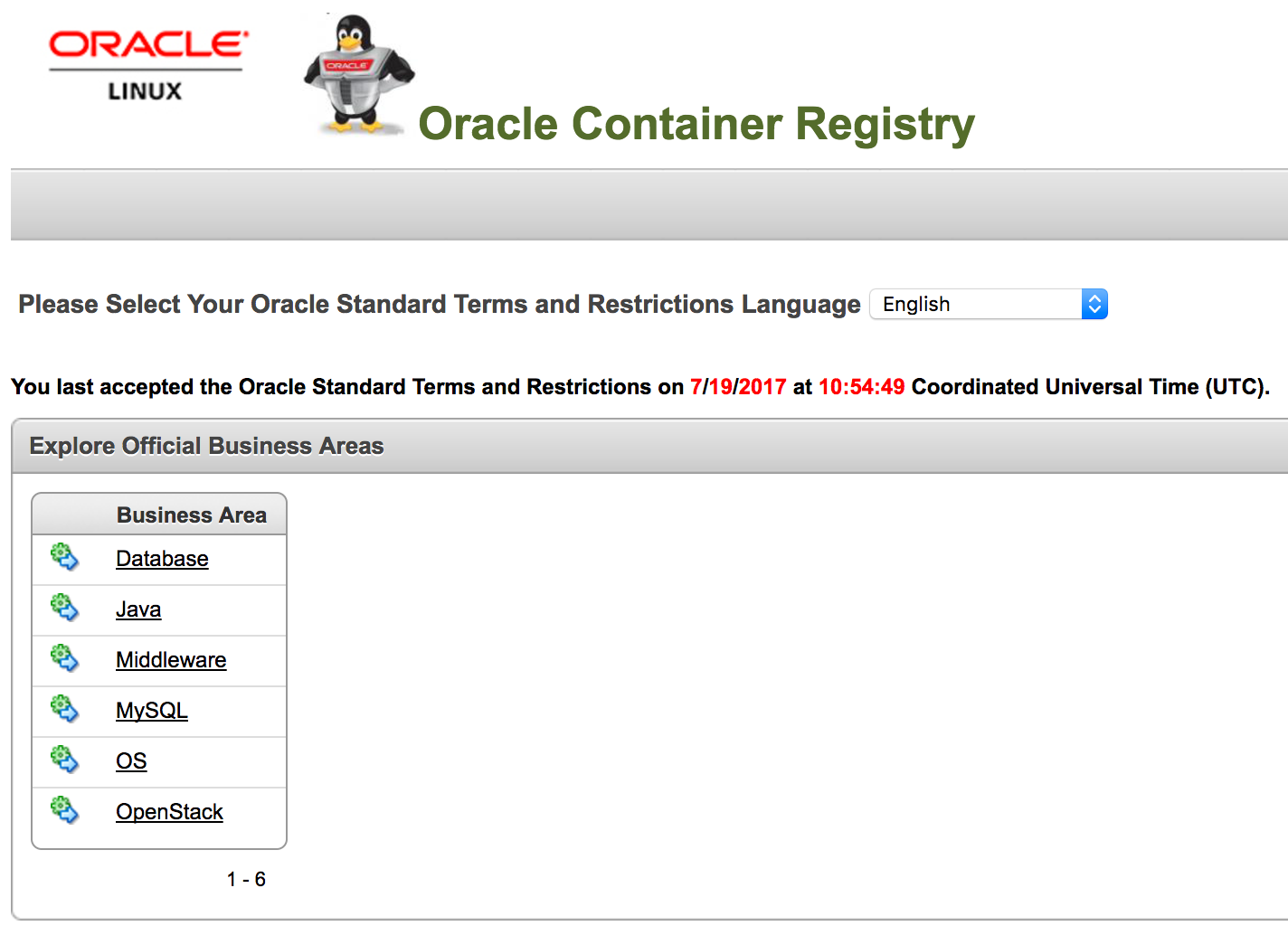
Oracle Container Registry - First Impressions

After my long holiday, I discovered today that the Oracle Container Registry is now world wide accessible :-) before the Oracle Container Registry were only accessible from USA, Australia and UK.

The Oracle Container Registry contains several types of Docker images:
  • Database: Oracle Enterprise Edition, Oracle Standard Edition and Instant Client
  • Java: Oracle Java SE
  • Middleware: Oracle Coherence, Oracle Tuxedo, Oracle WebLogic Server, Oracle WebTier
  • MySQL: MySQL Community Server
  • OS: Oracle Linux, Container Registry
  • OpenStack: contains currently 95 API's and so on ...
At first you need to access the website https://container-registry.oracle.com , click on the top right to sign in, you will need an OTN Account and follow the registration process.


After you have completed your registration to the Oracle Container Registry just Sign In and you will be directed automatically to following website:


From this point you can get down to Docker Image you are interested, for example the Middleware Section:


Within each Main Section you will find different Repositores, e.g. Oracle Coherence, Oracle Tuxedo, Oracle WebLogic Server and Oracle Web Tier.

When you select a specific Repository, e.g. Oracle WebLogic Server, you will be directed to the Repository Info Page:


On this page you will find various informations about the Repository and informations how to pull the Image, how to create e.g. a WebLogic Domain with an Admin Server and so on.

Let's try it.

# At First Login with your Docker
# to the Oracle Container Registry
din@server> docker login container-registry.oracle.com
Username: xx@xx.xxx
Password: 
Email: xx@xx.xxx
WARNING: login credentials saved in /home/din/.docker/config.json
Login Succeeded

# Now let's pull the Oracle WebLogic Server
din@server> docker pull container-registry.oracle.com/middleware/weblogic
Using default tag: latest

Please login prior to pull:
Username: xx@xx.xxx
Password: 
Email: xx@xx.xxx
latest: Pulling from middleware/weblogic
78a05301de27: Pull complete 
1bd2d038d806: Pull complete 
4b7f2458c2b0: Pull complete 
9b1f6785ca2d: Pull complete 
b83e45ee2903: Pull complete 
Digest: sha256:f42f1a6036e240c32e9438dfba3a883da7f99d10b26a1ca6efe6e0e2f5187af9
Status: Downloaded newer image for container-registry.oracle.com/middleware/weblogic:latest

# Now let's start the Oracle WebLogic Domain
din@server> docker run -d -p 7001:7001 container-registry.oracle.com/middleware/weblogic:12.2.1.1
7cdddadc00d8c60d3f310d98bd5f1f0e35d55c305c97195142849ae2bc02772c

# Wait some minutes and check the Container ID in order
# to grep from the logs the newly generated password
# for the WebLogic Admin User
din@server> docker ps
CONTAINER ID        IMAGE                                                        COMMAND                  CREATED              STATUS              PORTS                    NAMES
7cdddadc00d8        container-registry.oracle.com/middleware/weblogic:12.2.1.1   "/u01/oracle/createAn"   About a minute ago   Up About a minute   0.0.0.0:7001->7001/tcp   condescending_swartz

din@server> docker logs 7cdddadc00d8 | grep password
    Oracle WebLogic Server Auto Generated Admin password: d76074ec
*  password assigned to an admin-level user.  For *

Now you can open your Browser and access the following website http://localhost:7001/console and login with the Username weblogic and the password you retrieved from the above shown docker logs command.


There are some small pain points:

  • The current Release of the Oracle WebLogic Server is only 12.2.1.1.0, so its not the actual latest Release
  • The acceptance of the Oracle Standard Terms and Restrictions are only valid for 8 hours, so if you want to pull something new after one day, you have to get back to the Oracle Container Registry Website and re-accept the Oracle Standard Terms and Restrictions

But nevertheless, the Oracle Container Registry is a great option provided by Oracle to get quickly Docker Images for the main product line without any pain to write your own Docker Build Files.

Additional Note 21st July 2017: The above mentioned 8 hours expiration time of the acceptance of the Oracle Standard Terms and Restrictions is no longer valid, Thanks @MikeRaab for the hint


Wednesday, December 21, 2016

Oracle Database 12.1.0.2.0 are officially supported on Docker

Since yesterday, Tuesday 20th December 2016, the Oracle Database 12.1.0.2.0 and later are officially supported on Docker :-)

The corresponding My Oracle Support Note 2216342.1 can be found here: https://support.oracle.com/epmos/faces/DocContentDisplay?id=2216342.1


In the GitHub Repository of Oracle the related README is also updated to reflect the support for Oracle Database 12.1.0.2.0 and later on Docker.
All required files to build such a supported Oracle Database Instance on Docker can be found here: https://github.com/oracle/docker-images/tree/master/OracleDatabase


Tuesday, October 11, 2016

OTN Appreciation Day: WebLogic

Based on the suggestion by Tim Hall's Blogpost here is my contribution to the OTN Appreciation Day:

I've got 2 features and as usual these features are related to Oracle WebLogic Server:

1st Oracle WebLogic Server & Docker

The official support and certification for Oracle WebLogic Server on Docker started nearly one year ago. Since the first support and certification of Oracle WebLogic Server on Docker there were a lot of things happening, support and certification has been continuously extended to the latest release of Oracle WebLogic Server 12.2.1.1, Oracle (specially Bruno Borges) is driving a great GitHub Repository which provides you nearly everything around Oracle WebLogic Server and Docker.

The combination of Oracle WebLogic Server and Docker is really a game changer for how people like me are working now with Oracle WebLogic Server, it forces you to rethink your old techniques on how to design, install, maintain and specially monitor your WebLogic Infrastructure.
But on the other hand it also gives you new opportunities on how to work closer with the Developers (DevOps).

If you want to learn more about Oracle WebLogic Server on Docker, I strongly recommend to have a look on following stuff:


2nd Oracle WebLogic Server & RESTFul Management Services

REST is normally more a classical Developer topic, but since Oracle introduced the RESTFul Management Services in Oracle WebLogic Server 12.1.2 it has become also a topic for Administrators. The RESTFul Management Services are providing you the option to monitor your entire Oracle WebLogic Server including all deployed applications, integrated resources like JDBC, JMS and so on, moreover you can administer your entire WebLogic Server, like creating new Managed Servers, deleting resources, deploying applications and so on, just with a http request performed for example by a simple cURL command.
The response performance of cURL based RESTFul Management Service request to retrieve some performance metrics of your WebLogic Server compared to the classical scripting via Python and executed by wlst is simply incredible.
Specially the RESTFul Management Services are getting more and more interesting, as many environment are moved to the Cloud and with the lack of direct access to the Operating System, your main way of administer your WebLogic Server environment is now via RESTFul Management Services.

For more informations on WebLogic Server RESTFul Management you may have a look on following stuff:


Happy OTN Appreciation Day to all of you :-)